
3 Surprising Uses for Your TV's Coaxial Cable - Revive Old Tech — Key
Discover three surprising ways to use your TV's coaxial cable for free local TV, multi-room viewing, and connecting retro tech in a few simple steps.
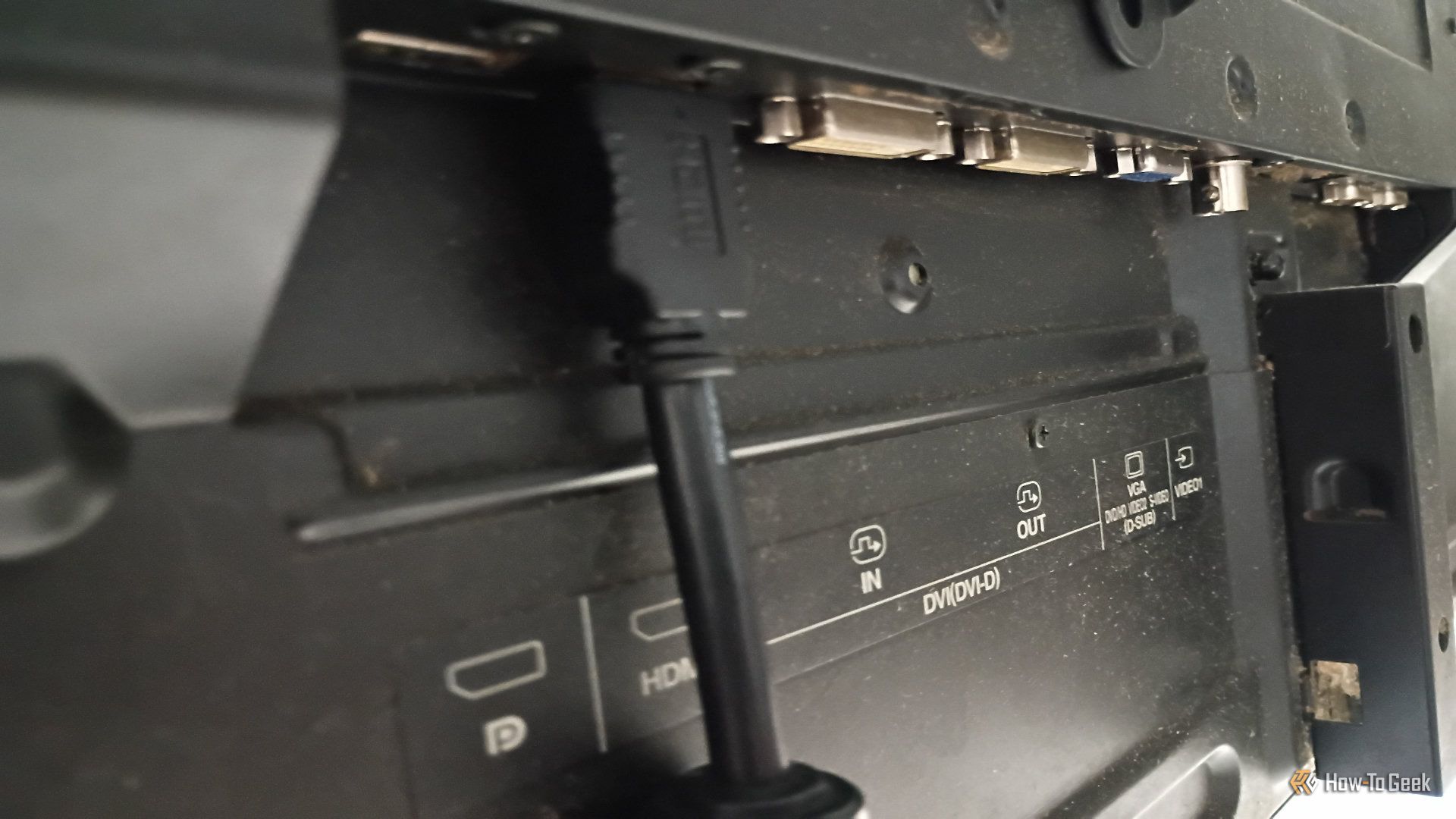
Coaxial cables, often associated with older TV setups, are surprisingly versatile, offering unique solutions for your modern home entertainment. These robust cables, known for their ability to transmit high-frequency signals with minimal loss, still have valuable applications. This guide will explore three practical ways to utilize your TV's coaxial cable, helping you breathe new life into existing tech, expand viewing options, and maximize your current wiring.
Before You Begin: General Considerations
Before you dive into these uses, ensure you have a few coaxial cables in good condition, as well as the F-type connectors commonly found on TVs. Specific additional hardware will be listed for each use case.
1. Tune into Free Local TV with an OTA Antenna
Over-the-air (OTA) antennas remain a reliable way to access local broadcast channels without a subscription, and your TV's coaxial input is perfect for connecting one. This allows you to watch modern digital TV signals (ATSC 1.0) and even upcoming 4K-capable ATSC 3.0 broadcasts. The braided copper shield of coaxial cables is effective at blocking electromagnetic interference, ensuring clear signal transmission from your antenna to your TV.
What You'll Need:
- An Over-the-Air (OTA) antenna (store-bought or homemade)
- A coaxial cable
- A television with a coaxial input
Steps:
- Acquire an Antenna: Purchase an OTA antenna from an online retailer, or if you're inclined, you can even construct a simple antenna using a coaxial cable yourself.
- Connect the Antenna: Plug one end of your coaxial cable into the "Antenna In" or "RF In" port on your television. Connect the other end of the coaxial cable to your OTA antenna.
- Position Your Antenna: Place your antenna in a location conducive to good reception, often near a window or elevated.
- Scan for Channels: Access your TV's menu, navigate to the "Channel Scan" or "Auto Program" option, and initiate the scanning process. Your TV will then search for and save all available local channels.
Troubleshooting & Tips:
- Signal Quality: If you experience pixelation or loss of channels, try adjusting your antenna's position.
- DIY Option: Don't have an antenna lying around? A spare coaxial cable can be repurposed to create your own basic antenna, a simple project worth trying.
2. Share a Single Signal Across Multiple TVs with a Splitter
If you have one source of an RF signal – such as from an OTA antenna, a cable outlet, or another device – and wish to display it on several televisions, a coaxial signal splitter is your solution. These devices take a single input signal and divide it into multiple outputs, allowing you to connect several TVs simultaneously.
What You'll Need:
- A coaxial signal splitter (e.g., 2-way, 3-way, or 4-way)
- Multiple coaxial cables (one for the input, one for each output TV)
- A main TV or signal source (e.g., antenna, cable box)
Steps:
- Connect the Input: Attach a coaxial cable from your primary signal source (e.g., OTA antenna, cable outlet) to the "Input" port on the signal splitter.
- Connect Output Cables: For each TV you intend to connect, run a separate coaxial cable from an "Output" port on the splitter to the coaxial input on that television.
- Power On and Tune: Power on all connected televisions and select the appropriate input or channel, if necessary.
Troubleshooting & Tips:
- Signal Loss: Passive signal splitters divide signal power, meaning a 2-way splitter sends about half the power to each output, and a 4-way splitter reduces it to roughly one-quarter. This can lead to signal degradation over longer cable runs.
- Pixelation/Dropouts: If you experience pixelation or dropped channels, try shortening your coaxial cable runs.
- Boost Your Signal: For noticeable signal loss, especially with multiple TVs, consider replacing a passive splitter with a powered distribution amplifier. These devices boost the signal, maintaining quality across all outputs.
3. Bridge Old Devices to New TVs with an RF Modulator
Do you want to connect a classic gaming console (like an NES) or an old VCR that uses composite audio/video (RCA) cables to a modern TV that only has HDMI and a coaxial input? An RF modulator is the perfect solution. An RF modulator acts as a bridge, converting the separate composite (yellow, white, red) signals from old devices into a single analog RF signal, which your TV accesses via its coaxial port, usually on channel 3 or 4.
What You'll Need:
- An RF modulator
- Your old device (e.g., VCR, retro gaming console) with composite (RCA) outputs
- Composite (RCA) cables
- A coaxial cable
- A television with a coaxial input
Steps:
- Connect Old Device to Modulator: Use RCA cables to connect the composite audio (red and white) and video (yellow) outputs from your old device to the corresponding inputs on the RF modulator.
- Connect Modulator to TV: Attach one end of a coaxial cable to the "RF Out" or "Coax Out" port on the RF modulator. Connect the other end to the "Antenna In" or "RF In" port on your modern television.
- Power On and Select Channel: Plug in and power on both your old device and the RF modulator. Turn on your TV, set its input to "Antenna" or "TV," and then tune your TV to either channel 3 or channel 4 (most RF modulators have a switch for this selection).
- Enjoy Your Retro Tech: You should now see the output from your old device displayed on your modern TV!
Troubleshooting & Tips:
- Channel Selection: The most common issue is selecting the incorrect channel. Ensure your RF modulator and TV are both set to the same channel (3 or 4).
- Preserve Old Gear: This method is invaluable for preserving the usability of your treasured older electronics on newer televisions that lack direct RCA inputs.
Conclusion: Giving New Life to an Old Standard
While coaxial cables might seem like a technology from the past, they continue to offer practical solutions in our digital world. Whether it's accessing free local broadcasts, distributing a signal across multiple TVs, or connecting vintage consoles to modern displays, the coaxial cable proves its enduring utility. By understanding these applications, you can effectively reuse existing equipment and expand your entertainment options. Giving new life to reliable, older tech can be both rewarding and highly practical.
FAQ
Q: Are coaxial cables still used for anything besides old cable TV connections? A: Absolutely! While less common for primary internet and modern streaming setups, coaxial cables are still essential for over-the-air (OTA) antenna connections, distributing signals to multiple TVs, and even connecting older devices like VCRs or retro gaming consoles to modern televisions via RF modulators. They're also used in broadband internet connections and satellite TV.
Q: Does using a splitter on a coaxial cable affect signal quality? A: Yes, passive coaxial splitters do cause signal loss. A 2-way splitter will typically divide the signal power in half for each output, and a 4-way splitter will reduce it to one-quarter. If you experience pixelation or signal dropouts, especially with multiple devices or long cable runs, you might need a powered distribution amplifier to boost the signal.
Q: Can I connect a vintage gaming console (like an NES) to my new TV if it only has an HDMI port and a coaxial input? A: Yes, you can! You'll need an RF modulator. Connect your vintage console's composite (RCA) audio/video cables to the modulator, and then connect the modulator to your TV's coaxial input using a coaxial cable. You'll then tune your TV to channel 3 or 4, depending on the modulator's setting, to display the console's output.
Related articles

Ditch Merge & Center: The Better Way to Align Text in Excel
Learn to use Excel's "Center Across Selection" to align text across cells without merging, avoiding common data manipulation issues. This guide provides steps to utilize this newly accessible feature and add it to your Quick Access Toolbar.

Ars Technica's Rocket Report: Your Essential Space Industry Briefing
Quick Verdict Ars Technica's Rocket Report, presented by veteran space reporter Stephen Clark, offers an invaluable and meticulously organized weekly (or similar frequency, implied by "Edition 9.15") digest of the most

Stop Android Auto Battery Drain: Essential Features to Disable and
Android Auto offers unparalleled convenience, bringing your phone's most useful features directly to your car's display. From navigation and calls to messages and music, it keeps you connected without distracting you

Turn Your Android Phone into a Powerful Desktop Replacement
Learn how to transform your Android phone into a full-fledged desktop computer using external displays and accessories, providing a cost-effective and integrated alternative to new Googlebooks.

howto: Four Ways the Fitbit Edge Is Better Than the Charge 6, and Two
Learn the key differences between the Fitbit Edge and Charge 6, including four advantages of the Edge and two areas where it falls short, to help you choose the best fitness tracker for your needs.
How to Connect Your Googlebook to a Printer - Print Documents with
Learn to quickly connect your Googlebook to a printer via Wi-Fi, USB, or Bluetooth and print documents in minutes. This guide covers direct printing, app-specific connections, troubleshooting, and even printing screenshots as a workaround.