
Unleash Hidden Network Potential with a $10 USB Ethernet Adapter
Is your sleek, modern laptop missing an essential Ethernet port? Or perhaps you're experiencing unexpected network bottlenecks on devices you thought were well-connected? A simple USB-to-Ethernet adapter, often costing
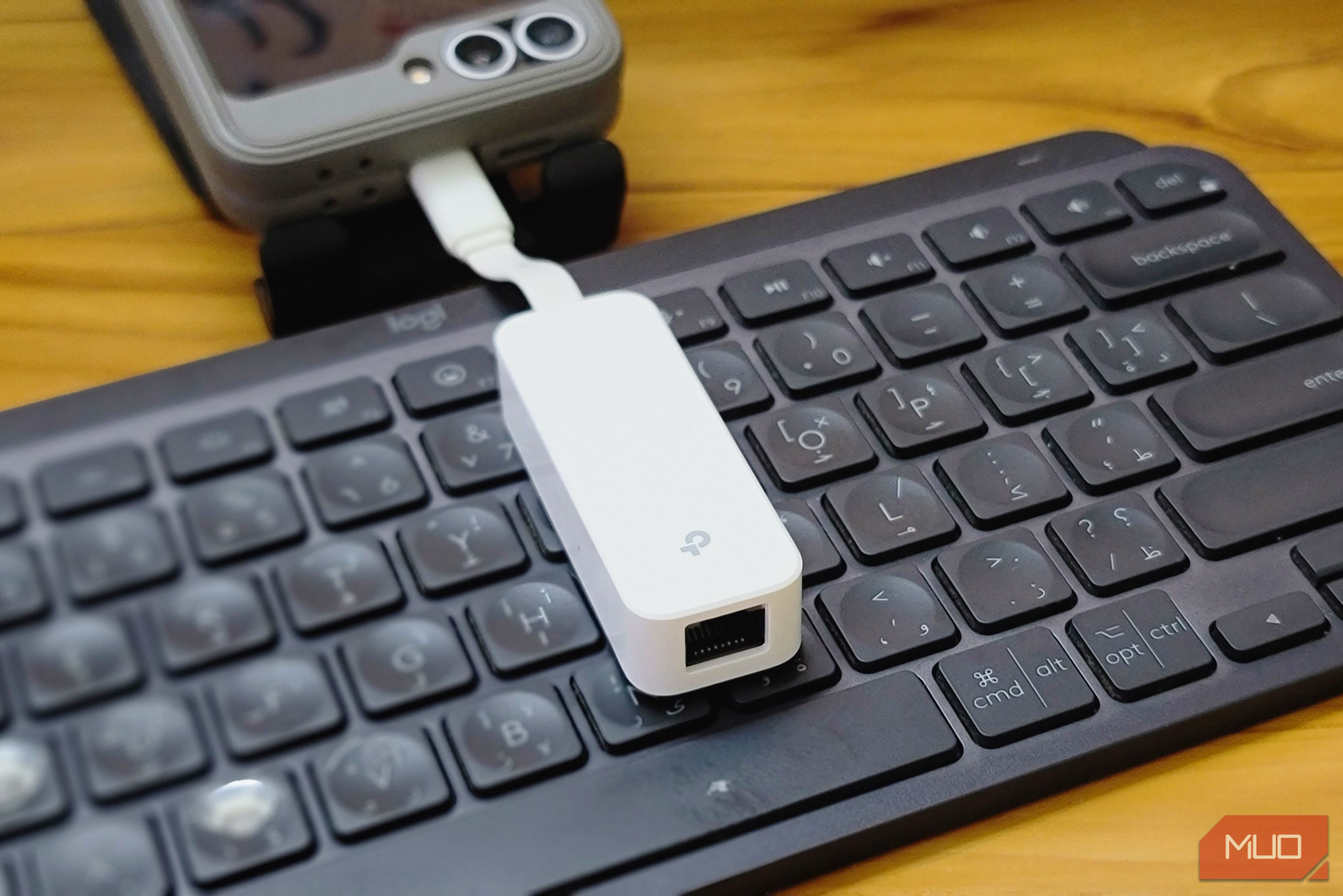
Is your sleek, modern laptop missing an essential Ethernet port? Or perhaps you're experiencing unexpected network bottlenecks on devices you thought were well-connected? A simple USB-to-Ethernet adapter, often costing as little as $10, can not only solve obvious connectivity gaps but also tackle a surprising range of networking problems you might not even realize you have.
This guide will walk you through various practical applications for a USB Ethernet adapter, from boosting your laptop's speed and ensuring your self-hosted services stay online, to transforming old PCs into powerful routers and optimizing Raspberry Pi clusters. By the end, you'll understand how this inexpensive gadget can significantly upgrade your home network and computing experience.
What You'll Accomplish
By following this guide, you will learn how to:
- Add a wired Ethernet connection to devices lacking one.
- Create a failover network connection for self-hosted services.
- Repurpose old PCs or NUCs into functional routers or firewalls.
- Optimize network traffic for Raspberry Pi clusters.
- Bypass slow built-in Ethernet ports on smart TVs for faster local streaming.
Prerequisites
Before you start, ensure you have the following:
- A USB Ethernet adapter (USB Type-A or Type-C, depending on your device's available ports).
- Compatible devices (laptop, home server, Raspberry Pi, smart TV, old PC/NUC).
- Ethernet cables (ensure they are appropriate for the desired speed, e.g., Cat5e or Cat6 for Gigabit).
- An active internet connection or local network setup for testing.
Practical Applications: Solving Problems You Didn't Know You Had
1. Adding a Dedicated Ethernet Port to Your Laptop
The Problem: Many modern thin and light laptops prioritize portability, often sacrificing a dedicated Ethernet port, forcing reliance on Wi-Fi.
The Solution: A USB-to-Ethernet adapter provides a stable, wired connection. This is particularly useful when traveling, in hotels, conference centers, or co-working spaces where Wi-Fi can be congested and unreliable. Plugging in directly avoids interference and bandwidth competition from dozens of other devices.
Steps:
- Connect the USB end of the adapter to an available USB port (Type-A or Type-C) on your laptop.
- Connect an Ethernet cable from a network jack (e.g., wall port, router, switch) to the adapter's Ethernet port.
- Your operating system should automatically detect and configure the new wired connection, often prioritizing it over Wi-Fi.
2. Ensuring Uptime for Self-Hosted Services with a Backup Connection
The Problem: Home network outages, even brief ones, can disrupt access to self-hosted services like file storage or password vaults, which can be frustrating for family members who need immediate access.
The Solution: Use the USB Ethernet adapter as a second network interface (NIC) for your home server or device running self-hosted services. If you have a backup internet service provider (ISP), you can configure network failover.
Steps:
- Connect the USB Ethernet adapter to your server or host machine.
- Connect the first Ethernet cable from your primary ISP router to your server's onboard Ethernet port.
- Connect a second Ethernet cable from your backup ISP router to the USB Ethernet adapter.
- Configure your server's operating system or networking software (e.g., Linux network manager, Windows Network and Sharing Center) to recognize both network interfaces and set up a failover mechanism. This ensures that if the primary connection goes down, the backup automatically takes over, keeping your services online.
3. Building Homelab Routers or Firewalls from Old PCs
The Problem: Repurposing an old PC or a compact NUC (Next Unit of Computing) into a router or firewall (using software like OpenWRT or OPNsense) often requires two network interfaces: one for the WAN (internet) and one for the LAN (internal network). Many older machines only have one built-in Ethernet port.
The Solution: A USB-to-Ethernet adapter provides the essential second port without needing to open the case or find a rare PCIe slot.
Steps:
- Install your chosen router/firewall software (e.g., OpenWRT, OPNsense) on your old PC or NUC.
- Plug the USB Ethernet adapter into an available USB port on the device.
- During the software configuration, assign the built-in Ethernet port to either WAN or LAN, and assign the USB Ethernet adapter to the other (e.g., onboard for LAN, USB for WAN).
Tip: If you plan to boot over the network (PXE boot), ensure the specific USB Ethernet adapter you choose supports this, as not all do.
4. Optimizing Raspberry Pi Clusters for Storage Traffic
The Problem: Raspberry Pi 4 (and older) models lack PCIe or M.2 expansion, making it difficult to add a second network interface. When running storage-heavy workloads like iSCSI or NFS mounts on a Pi cluster, the main onboard NIC can become a bottleneck, leading to performance issues as service traffic competes with storage I/O.
The Solution: A USB Ethernet adapter provides a dedicated network path for storage traffic, separating it from general service traffic.
Steps:
- Connect the USB Ethernet adapter to each Raspberry Pi node in your cluster.
- Use the Pi's onboard Ethernet NIC for PXE booting and general service communication.
- Configure the USB Ethernet adapter on each Pi to handle dedicated iSCSI storage or NFS mounts.
Tip: Adapters like the TP-Link UE300 series often have drivers baked directly into the Linux kernel, simplifying installation on Raspberry Pi devices. This setup also helps reduce wear on microSD cards by offloading heavy write operations.
5. Boosting Android TV Network Speed
The Problem: Many smart TVs, including expensive models, come with a 10/100 Mbps Ethernet port, capping wired speeds at 100 Mbps. This can be slower than their built-in Wi-Fi 5 or Wi-Fi 6 capabilities. While 100 Mbps is fine for standard streaming services, it becomes a bottleneck for high-bitrate local streaming (e.g., 4K Blu-ray remuxes via Plex/Jellyfin) or game streaming (Steam Link, Moonlight) where sustained bitrates can easily exceed this limit.
The Solution: A USB 3.0-to-Gigabit Ethernet adapter bypasses the TV's slow built-in port, using its own Gigabit networking chip to deliver much faster speeds.
Steps:
- Verify that your specific smart TV model recognizes USB Ethernet adapters (compatibility varies).
- Plug the USB 3.0-to-Gigabit Ethernet adapter into an available USB 3.0 port on your smart TV.
- Connect an Ethernet cable from your router/switch to the adapter's Ethernet port.
- Your TV should detect the new wired connection, providing speeds well beyond the 100 Mbps limit of the internal port.
Troubleshooting and Best Practices
While highly versatile, USB-to-Ethernet adapters have some limitations:
- Reliability: They are generally less reliable and performant under heavy, constant load compared to proper PCIe network interface cards (NICs). Avoid using them for mission-critical production servers, high-throughput NAS devices, or primary firewalls that demand maximum stability and speed.
- Performance: They may not always achieve full Gigabit speeds consistently, especially under sustained heavy loads. You might also encounter issues with waking from sleep or reconnecting after a host machine reboot.
- Compatibility: Always check device compatibility, particularly for smart TVs, as not all models support USB Ethernet adapters.
- Best Use Cases: These adapters are excellent for temporary setups, laptops, Raspberry Pi clusters, and low-power home projects where cost-effectiveness and flexibility outweigh the need for enterprise-grade performance.
Don't plan your entire server infrastructure around them, but for the use cases outlined above, a $10 USB Ethernet adapter is an incredibly useful and cost-effective tool.
FAQ
Q: Are USB Ethernet adapters as good as a built-in Ethernet port or a dedicated PCIe NIC? A: Generally, no. While highly functional for many tasks, USB Ethernet adapters are typically less reliable under heavy, constant loads and may not consistently hit full Gigabit speeds compared to integrated ports or PCIe NICs. They are best suited for situations where a dedicated port is missing or for temporary/specific uses as outlined in this guide.
Q: Can I really boost my smart TV's network speed with one of these? A: Yes, many smart TVs, even expensive ones, come with a slower 10/100 Mbps Ethernet port. A USB 3.0-to-Gigabit Ethernet adapter can bypass this limitation by using its own networking chip, providing speeds well over 100 Mbps, which is beneficial for high-bitrate local streaming or game streaming. However, compatibility varies by TV model, so it's wise to check if your TV supports USB Ethernet adapters before purchasing.
Q: What type of USB Ethernet adapter should I buy? A: Adapters are available for both USB Type-A and Type-C ports. Choose the one that matches an available port on your device. For maximum speed, especially with smart TVs, ensure it's a Gigabit Ethernet adapter and connect it to a USB 3.0 port if available, as USB 2.0 speeds are often insufficient for true Gigabit performance.
Next Steps
Now that you've discovered the hidden potential of a simple USB Ethernet adapter, consider exploring more advanced networking topics:
- Dive deeper into self-hosting services for your family.
- Experiment with OpenWRT or OPNsense on an old PC for a custom router setup.
- Build or expand your Raspberry Pi cluster for various computing projects.
Related articles

Ditch Merge & Center: The Better Way to Align Text in Excel
Learn to use Excel's "Center Across Selection" to align text across cells without merging, avoiding common data manipulation issues. This guide provides steps to utilize this newly accessible feature and add it to your Quick Access Toolbar.

Enterprise AI Beyond Chatbots: A Vision for Actionable Intelligence
Quick Verdict: Redefining Enterprise AI's Potential TechRadar Pro's opinion piece, "What it takes to move enterprise AI beyond the chatbot," delivers a refreshingly honest and vital perspective on the current state and

Stop Android Auto Battery Drain: Essential Features to Disable and
Android Auto offers unparalleled convenience, bringing your phone's most useful features directly to your car's display. From navigation and calls to messages and music, it keeps you connected without distracting you

Turn Your Android Phone into a Powerful Desktop Replacement
Learn how to transform your Android phone into a full-fledged desktop computer using external displays and accessories, providing a cost-effective and integrated alternative to new Googlebooks.

VisionQuest Cameo Insight: A Pragmatic Look at MCU TV Realities
VisionQuest Cameo Insight: A Pragmatic Look at MCU TV Realities Verdict: The news surrounding VisionQuest's initial creative discussions offers valuable, albeit potentially disappointing, insight into the realities of

howto: Four Ways the Fitbit Edge Is Better Than the Charge 6, and Two
Learn the key differences between the Fitbit Edge and Charge 6, including four advantages of the Edge and two areas where it falls short, to help you choose the best fitness tracker for your needs.