
Samsung AirDrop Integration: A Promising But Flawed Rollout
Samsung is expanding AirDrop compatibility to more Galaxy devices through its Quick Share feature, aiming for seamless cross-platform file sharing. However, user reports indicate significant inconsistencies and bugs, making the feature unreliable for many, despite its potential.
Verdict: A Feature with Great Promise, Plagued by Inconsistency
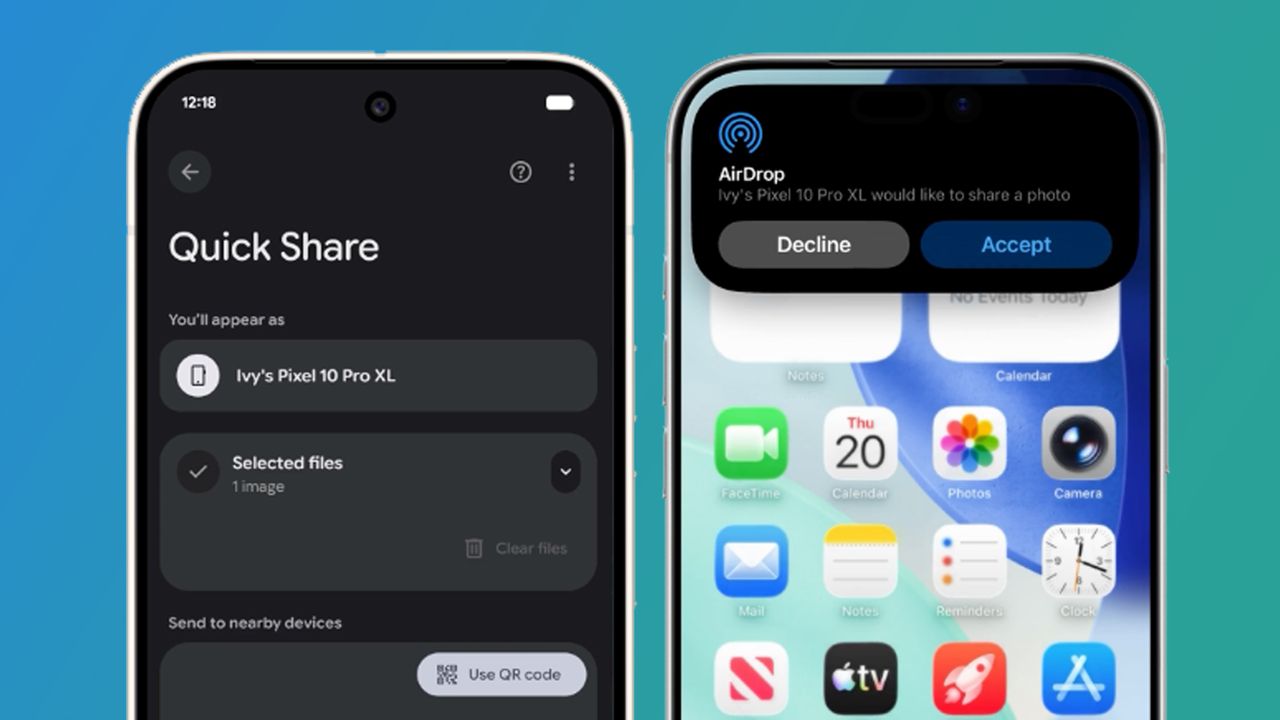
Samsung is rolling out a highly anticipated feature, extending Apple's AirDrop compatibility to a wider range of its Galaxy devices. On paper, this is a monumental step towards seamless cross-platform file sharing, a long-sought convenience for Android users. The integration within Samsung's existing Quick Share feature is a thoughtful approach, aiming for simplicity. However, current user experiences paint a picture of significant inconsistency and outright bugs. While some users report the feature working flawlessly, many others find it either non-functional or entirely absent, even after system updates. This makes the feature's reliability a frustrating "roll of the dice" rather than a dependable tool.
Introduction: Bridging the Divide
For years, Apple's iOS ecosystem has been lauded for its tightly integrated features, often at the expense of cross-platform compatibility. AirDrop, Apple's proprietary file-sharing tool, has been a prime example, allowing effortless transfers between Apple devices but leaving Android users out in the cold. This long-standing "walled garden" approach has begun to show cracks. Google first announced its success in bringing AirDrop functionality to Android, and more recently, Samsung followed suit, initially with its Galaxy S26 series. Now, this crucial compatibility is expanding to a broader array of older Galaxy smartphones, including the Galaxy Z Fold 7, Galaxy S22, Galaxy S23, Galaxy S24, and Galaxy S25. This move signifies a shift, potentially making file sharing between Android and iOS devices much simpler for a significant user base.
Understanding AirDrop and Samsung's Approach
For those unfamiliar, Apple's AirDrop is a powerful and secure method for transferring files—photos, videos, documents, and more—between Apple devices, such as iPhones, iPads, and Macs. It's known for its speed, lack of file compression, and robust privacy controls, allowing users to restrict sharing to contacts only. This efficiency has made it a benchmark for wireless file transfer.
Samsung's implementation of this cross-platform capability doesn't appear as a standalone application or a completely new system. Instead, it's integrated as an extension within Samsung's existing Quick Share feature. This means that when a user wants to share an item, the option to send it to an iPhone user via AirDrop will simply appear within the Quick Share interface. This approach is designed to maintain a consistent user experience and avoid cluttering the device with redundant tools, making the addition feel like a natural evolution rather than an abrupt change.
The User Experience: A Roll of the Dice
Here's where the initial excitement for this new feature hits a significant snag. Despite the official rollout to various Galaxy devices, user reports indicate a highly inconsistent and often frustrating experience. Many users, after installing the necessary Quick Share updates, have found that while the option to use AirDrop might appear on their Samsung phones, the feature simply doesn't work when attempted. Files fail to send, or the connection isn't established.
Compounding this issue, a substantial number of users have reported that the option to share files to iPhones via AirDrop is entirely absent from their devices, even after verifying that all updates are installed. These reports have surfaced across various online platforms, including Samsung community support threads and discussions on social media platforms like X (formerly Twitter). This suggests that the rollout might not be universally reaching all eligible devices, or perhaps there are underlying software conflicts preventing its appearance.
This inconsistent availability and functionality create a strong "element of luck" for users. While numerous reports highlight problems, there are also positive anecdotes. On platforms like Reddit, many users have confirmed that the feature has indeed appeared on their devices and is working as intended, allowing them to successfully share files with iPhone users. This stark contrast suggests that Samsung is still actively "ironing out the creases" in its implementation. It's reminiscent of Google's initial AirDrop integration for Android, which also faced similar bugginess upon its debut. The current situation means that while the potential for seamless cross-platform sharing is there, the reality for many users is one of unreliability.
Pros and Cons
Pros:
- Cross-Platform Potential: The ability to share files directly with iOS devices via AirDrop is a significant leap forward for Android users, breaking down a long-standing barrier.
- Integrated Design: Samsung’s decision to integrate AirDrop compatibility directly into its existing Quick Share feature is smart, maintaining a streamlined user experience without introducing new, separate apps.
- High-Quality Transfers: True to AirDrop's reputation, this implementation promises secure file sharing without compression, preserving original quality.
- Expanded Device Support: The feature is not limited to the latest flagships but is expanding to several generations of Galaxy devices, increasing its reach.
Cons:
- Inconsistent Functionality: The most significant drawback is the reported unreliability. For many users, the feature either doesn't work or is entirely absent, making it an unpredictable tool.
- "Element of Luck": Whether the feature appears and functions correctly seems to be largely arbitrary, leading to frustration and undermining user confidence.
- Buggy Implementation: The widespread reports of non-functionality suggest that the software is still in an early, unrefined state, requiring further patches and updates.
- Delayed Gratification: Users eager for this functionality may have to wait until Samsung resolves the reported issues, potentially diminishing the initial excitement.
Buying Recommendation
At present, the AirDrop compatibility on Samsung Galaxy devices is a feature with immense potential but hampered by significant early-stage bugs. If seamless, reliable cross-platform file sharing is a critical factor in your decision-making for a new device, it would be prudent to exercise caution. While the feature promises to deliver, its current inconsistency means you might not get the experience you expect. For existing Samsung Galaxy users, keep your Quick Share app updated and periodically check for functionality. It's an excellent feature to have as a bonus if it works, but don't count on it as a primary, dependable tool just yet. Samsung is likely working to fix these issues, so patience will be key.
Conclusion: A Work in Progress
Samsung's initiative to bring AirDrop compatibility to more Galaxy devices is a welcome development that addresses a major pain point for users navigating both Android and iOS ecosystems. The concept is sound, and the integration within Quick Share is sensible. However, the current reality of its rollout suggests it's very much a work in progress. The widespread reports of non-functional or absent features indicate that Samsung still has significant software refinement to undertake. We remain hopeful that these creases will be ironed out, allowing this valuable cross-platform tool to reach its full, reliable potential across the Galaxy lineup and, eventually, perhaps even more Android devices.
FAQ
Q: Which Samsung Galaxy devices are getting AirDrop compatibility?
A: The AirDrop compatibility is expanding to a range of Samsung devices, including the Galaxy Z Fold 7, Galaxy S22, Galaxy S23, Galaxy S24, Galaxy S25, and the newer Galaxy S26 series.
Q: How does AirDrop compatibility work on Samsung devices?
A: Instead of a separate app, the AirDrop sharing option for iPhone users appears as an extension within Samsung's existing Quick Share feature. This integrates the functionality seamlessly into the current file-sharing process.
Q: Why isn't the AirDrop feature working or appearing on my Samsung phone?
A: Many users are reporting similar issues. While some see the option but find it non-functional, others report the option being entirely absent, even after updates. This suggests that Samsung is still addressing bugs and inconsistencies in the rollout, and the feature's availability and reliability currently seem to be a matter of luck for individual users.
Related articles
Android 17 QPR2 Beta 7.1: The Performance Relief You've Been Waiting
Android 17 QPR2 Beta 7.1: Finally Fixing the QPR1 Performance Woes Verdict: Android 17 QPR2 Beta 7.1 is a crucial and highly anticipated software update for Google Pixel users, specifically targeting and resolving the

DJI Solo Video Setups: Smart Choices for Lone Creators
This review delves into DJI's recommended solo video setups, highlighting the Osmo Pocket 3 Creator Combo as a top pick for its integrated camera, gimbal, and mic. It also covers stabilizers like the Osmo Mobile 8 and RS 4, and the DJI Mic Mini series for enhanced audio, providing honest pros, cons, and clear buying advice.

Ars Technica's Rocket Report: Your Essential Space Industry Briefing
Quick Verdict Ars Technica's Rocket Report, presented by veteran space reporter Stephen Clark, offers an invaluable and meticulously organized weekly (or similar frequency, implied by "Edition 9.15") digest of the most

Apple iPhone Duo: A Daring Debut with Notable Compromises
Apple's highly anticipated iPhone Duo, priced at $2,000, has gone on pre-order. While hailed as "Apple's most exciting device in a decade" for its innovative foldable design and immersive display, it comes with significant drawbacks like the absence of FaceID and a premium camera.
Amazon Prime Video Launches AI-Powered Prime 360 for NBA Coverage
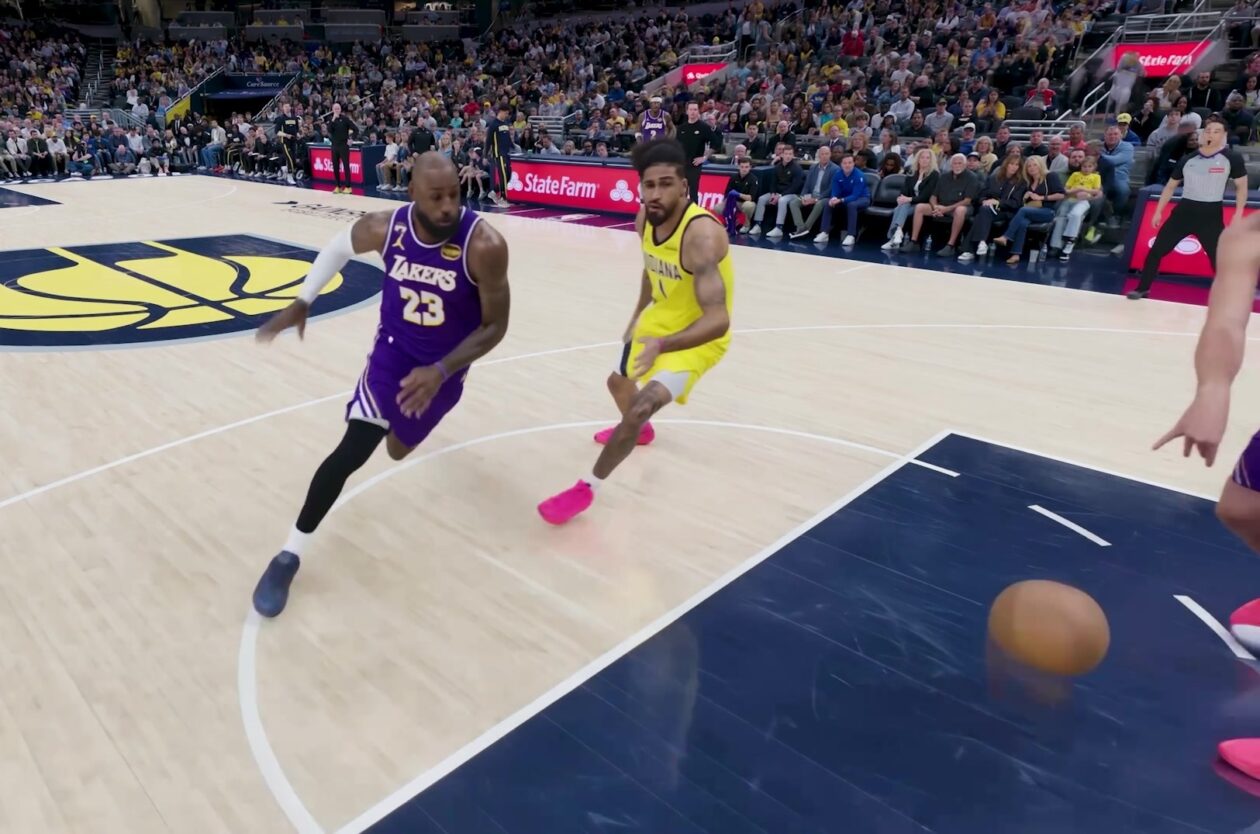
Amazon Prime Video is elevating its NBA coverage with the introduction of Prime 360, an AI-powered replay system offering immersive, 'fly through' views of the action. Kicking off its second season, Prime Video also adds Yahoo fantasy integration and gains exclusive Eastern Conference Finals rights, expanding its tech-driven sports broadcast. The new features aim to deliver a unique and interactive viewing experience for basketball fans.

KDE Plasma 6.8: A Future-Focused 30th Anniversary Update
Quick Verdict KDE Plasma 6.8, arriving as the "30th Anniversary Edition," is a pivotal release that decisively pushes the desktop environment into the future. With a definitive farewell to native X11 sessions and a