
Mastering RAM-Only Linux: Boost Performance & Revive Old PCs
Discover how RAM-based Linux distros can dramatically boost performance and privacy, especially on older hardware. This guide introduces six top options and provides step-by-step instructions to get started.
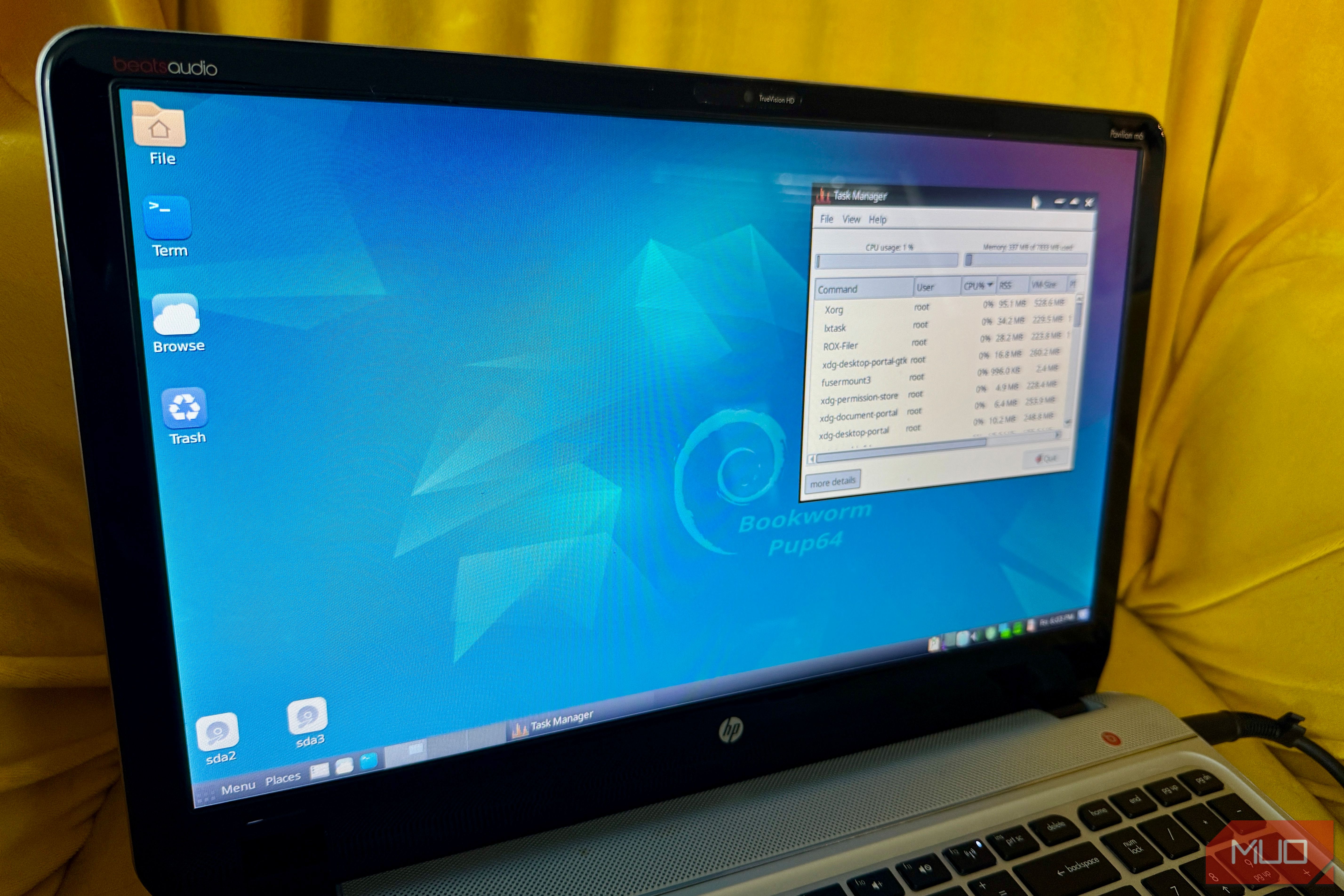
Are you looking to breathe new life into an aging computer, enhance your system's performance, or create a private, ephemeral computing environment? Linux distributions designed to run entirely in RAM offer a unique solution. These specialized operating systems load their entire filesystem into your computer's memory upon boot, providing lightning-fast performance and ensuring a clean slate with every reboot. This guide will walk you through the concept, benefits, and introduce you to several excellent Linux distros that leverage this powerful capability.
What are RAM-Based Linux Distros?
Traditional operating systems constantly access your hard drive or SSD for data. RAM-based (or "live") Linux distros, on the other hand, utilize a "copy to RAM" or toram boot mode. This means the entire operating system, once booted, resides and operates solely from your computer's Random Access Memory. Once loaded, you can often remove the boot media (like a USB drive or CD) and the system will continue to run without interruption.
The primary benefits of this approach include:
- Blazing Fast Performance: With near-zero disk I/O after boot, operations are limited only by your RAM speed, making even older hardware feel incredibly responsive.
- Enhanced Privacy and Security: Since the system runs entirely from volatile memory, a simple reboot instantly wipes all traces of your session, providing a fresh and clean environment.
- Revitalize Old Hardware: Systems with limited hard drive space or slow storage (like ancient spinning disks or worn-out USB drives) can experience a dramatic performance boost.
- Portability: Create a bootable USB drive and carry your customized, fast OS with you to use on almost any compatible computer.
Prerequisites
Before you dive into the world of RAM-based Linux, here’s what you'll need:
- A Computer: Any PC capable of booting from USB or CD/DVD. Even systems with Pentium II processors can be supported by some of these distros.
- RAM: While some distros can run on as little as 9MB, a minimum of 256MB is a practical starting point for most. For a comfortable graphical experience, 512MB to 1GB or more is recommended.
- Bootable Media: A USB flash drive (at least 1GB, often larger for modern ISOs) or a blank CD/DVD to create your installation media.
- ISO Writing Software: Tools like Etcher, Rufus, or UNetbootin for writing the downloaded ISO image to your USB drive.
- Basic Linux Knowledge: Familiarity with downloading ISOs and creating bootable media will be helpful.
Exploring RAM-Optimized Linux Distros
Here are some of the best Linux distributions that excel at running directly from RAM, ordered from those with a unique historical context to highly recommended daily drivers.
1. Knoppix
Knoppix is historically significant, often credited with pioneering the mainstream live-CD concept in 2000. Its toram boot parameter was an early predecessor to modern RAM-loading methods. While important for its legacy, Knoppix isn't the most memory-efficient option for extremely old hardware. Its documentation suggests 2GB of RAM for the CD edition and 8GB for the DVD edition to load fully into memory, which is a significant requirement compared to newer, lightweight alternatives.
2. Porteus
Porteus is a lightweight, Slackware-based distribution that is designed with RAM operation in mind. It uses the copy2ram boot parameter to load its core system into memory, resulting in much faster performance after a slightly longer initial startup. While a full KDE desktop might need around 768MB, Porteus can run with as little as 256MB of RAM. A key feature is its modular design, allowing you to selectively copy specific components into RAM using the rammod parameter, rather than loading the entire OS at once.
3. Tiny Core Linux
For those seeking extreme minimalism, Tiny Core Linux is an excellent choice. It’s explicitly designed to run primarily in RAM, with the standard TinyCore edition being a mere 23MB download featuring a basic FLTK desktop. The headless Core release is even smaller at 17MB. A full graphical desktop requires only 46MB of RAM, and the text-only variant can function on just 28MB. This incredibly small footprint makes it perfect for emergency rescue drives or reviving truly ancient hardware, with official support for Pentium II processors.
4. SliTaz GNU/Linux
SliTaz stands out by offering a complete, graphical operating system in an ISO download under 50MB. Once booted, its uncompressed root filesystem uses less than 100MB of RAM. This allows you to remove the installation media completely after startup, and the desktop will continue running seamlessly. The standard Live CD environment needs 160MB of RAM, but specialized low-RAM variants like loram can boot on as little as 32MB, and in extreme cases, even 9MB with a dedicated swap file.
5. AntiX
AntiX is a Debian-based distribution that can serve as a complete daily driver while still offering a toram boot option. It loads its full system image directly into RAM, meaning a longer initial boot but significantly faster operation thereafter. AntiX provides access to Debian's robust APT package management and includes multiple window managers like IceWM, Fluxbox, and JWM. It strips away more background overhead than distros like MX Linux, making it highly efficient for everyday computing tasks on older machines.
6. Puppy Linux
Running entirely in system memory is a foundational principle of Puppy Linux, a project that began in 2003. By adding the pfix=ram parameter at startup, Puppy loads completely into RAM and ignores any existing session files, allowing you to remove the boot media immediately. Modern 64-bit releases recommend at least 1GB of RAM, while legacy versions can function with less than 256MB. Puppy Linux is arguably the most user-friendly option for a general audience, offering a familiar interface and a clever mechanism to save your custom settings and installed applications in a compressed file on disk. This provides persistence without sacrificing the speed benefits of its RAM-based architecture, making it an ideal choice for transforming an old laptop into a surprisingly fast machine.
Getting Started: Your First RAM-Based Linux Experience
Ready to try one of these distros? Here's a general approach:
- Download the ISO: Visit the official website of your chosen distro (e.g., Puppy Linux, AntiX) and download the latest stable ISO file.
- Create Bootable Media: Use a tool like Etcher or Rufus to write the ISO image to a USB flash drive. For CD/DVDs, use your system's disc burning utility.
- Boot Your Computer: Insert the bootable media and restart your computer. You'll likely need to access your BIOS/UEFI settings (often by pressing F2, F10, F12, or Del during startup) to set the boot order to prioritize your USB drive or CD/DVD.
- Select RAM Boot Option: At the boot menu of the Linux distro, look for options like
toram,copy2ram,pfix=ram, or a similar instruction to load the system into memory. Some distros may do this by default, while others require a specific command or menu selection. - Explore and Enjoy: Once the desktop loads, you'll be running a fully functional operating system directly from RAM! Experience the speed and flexibility.
- (Optional) Save Your Work: For distros like Puppy Linux that offer session saving, follow their specific instructions to save your data to a persistent file on your hard drive or USB for future sessions.
Tips for Best Performance & Usage
- Match Distro to Hardware: Always choose a distro whose recommended RAM requirements align with your computer's specifications. Don't try to run a 1GB distro on a machine with only 256MB.
- Experiment with Boot Parameters: Many distros offer various boot parameters (like
loramin SliTaz) to optimize for lower RAM or specific hardware configurations. - Consider Your Use Case: For a simple rescue disk, Tiny Core or SliTaz might suffice. For a daily driver, AntiX or Puppy Linux offer more features and ease of use.
- Leverage No Disk I/O: Once booted, any files you create or modify will exist only in RAM until explicitly saved to a persistent storage medium. This is great for privacy but remember to save important documents before rebooting!
Troubleshooting
- System Slow or Won't Load: If the system feels sluggish or fails to boot, you might not have enough RAM to load the chosen distro completely. Try a lighter distro (e.g., Tiny Core, SliTaz
loramvariant) or increase your available RAM if possible. - Cannot Boot from USB/CD: Double-check your BIOS/UEFI settings to ensure the correct boot order. Verify that your bootable media was created correctly and isn't corrupted.
- Slow Initial Boot: Copying the entire operating system into RAM takes time. A longer initial boot phase is normal for these distros; expect faster performance after the desktop has loaded.
FAQ
Q: What happens to my files if I don't save them before rebooting? A: If you don't explicitly save files to persistent storage (like your hard drive, another USB drive, or a network share), they will be lost upon reboot. This is a core feature for privacy and clean sessions, but it requires mindful saving for anything you want to keep.
Q: Can I install applications on a RAM-based Linux distro? A: Yes, you can usually install applications just like on a regular Linux system. However, unless the distro has a persistent storage feature (like Puppy Linux's session saving), these installed applications will also be lost upon reboot. For temporary use, this is fine; for regular use, look for distros that offer persistence.
Q: Are these distros only for old computers? A: While they are excellent for revitalizing older hardware, RAM-based distros offer benefits like speed, privacy, and portability that appeal to users with modern machines too. They can be great for secure browsing, system diagnostics, or simply experiencing a lightning-fast Linux environment without touching your main hard drive.
Conclusion
Embracing Linux distributions that run entirely in RAM is a fantastic way to unlock new levels of performance, enhance your digital privacy, and give a second life to computers you thought were obsolete. Whether you're a seasoned Linux user or a curious beginner, these distros offer a unique and rewarding computing experience. Don't hesitate to download an ISO, create a bootable USB, and embark on your journey into the fast lane of RAM-based Linux!
Related articles

Here’s where you can preorder the new OLED-equipped iPad Mini: Apple
Apple has officially opened preorders for its eighth-generation iPad Mini, featuring a vibrant 8.5-inch OLED display and powerful A20 Pro chip. Starting at $699, the device can be preordered from Apple and Best Buy before its November 6th release, promising significant upgrades in visual technology and performance.
Solve Annoying PDF Problems Locally in Your Browser with BentoPDF
Dealing with PDFs can often feel like a never-ending series of small, annoying tasks. You might need to combine several documents, reduce the size of a bulky file, or even make an image-only scan searchable. Typically,

Your Guide to LG's 115-inch QNED evo TV: Features, Gaming & Price
Welcome to an exciting exploration of LG's latest innovation in home entertainment: the colossal 115-inch QNED evo AI Mini LED TV. This guide is designed to walk you through everything you need to know about this

CMF Watch 3 Pro: Affordable Style Meets Solid Performance
CMF Watch 3 Pro: Affordable Style Meets Solid Performance In the crowded market of smartwatches, finding a device that balances features, design, and affordability can be a challenge. Enter the CMF Watch 3 Pro, a

How to Stop Google Using Your Gmail & Drive Data for Ads
Google's "Personal Intelligence" feature, designed to offer more tailored AI responses, may inadvertently lead to your personal data from apps like Gmail, Google Drive, and Google Photos being used for targeted

Nvidia Backs Indian Startup to Boost AI Efficiency with Fewer GPUs
Nvidia has backed Indian startup Simplismart in a $14 million Series B round. Simplismart's software helps companies run AI models efficiently, often requiring fewer GPUs, addressing the strain on computing capacity. This investment highlights a strategic focus on AI inference optimization.