
How to Understand Apple's New Upgrade Leasing Program - Unlock
Prepare for Apple's upcoming Upgrade leasing program, an alternative to upfront payments for iPhones, iPads, Macs, and Apple Watches, launching next week. Learn key details about eligibility, financing, and device options to make informed decisions.
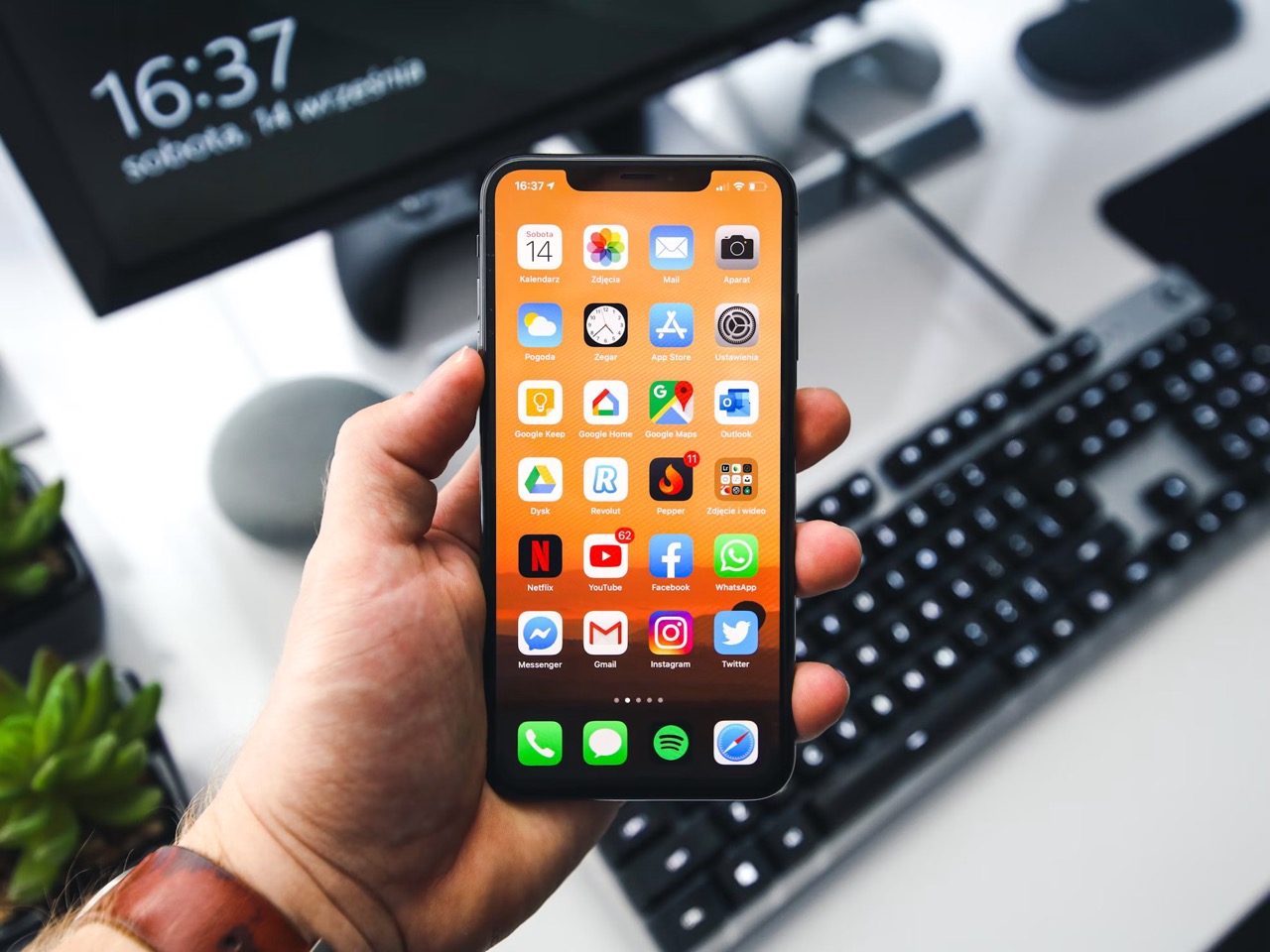
Exciting news is on the horizon for Apple enthusiasts! Next week, Apple is reportedly launching a brand new Upgrade leasing program in the United States, offering a flexible way to own your favorite devices. This guide is designed to help you understand this innovative new program, prepare for its launch, and make informed decisions about how it can benefit you. By the end of this article, you'll have a clear picture of what to expect, who it's for, and how to get ready to potentially enjoy premium Apple devices through manageable monthly installments.
What You'll Accomplish
By following this guide, you will:
- Gain a comprehensive understanding of Apple's new Upgrade leasing program, including its purpose and how it functions.
- Identify which Apple devices are eligible for the program and which are excluded.
- Learn about the key differences between this new program and the existing iPhone Upgrade Program.
- Understand the prerequisites for enrollment, such as the soft credit check.
- Be equipped with practical steps to prepare for the program's launch and make the best choices for your tech needs.
Prerequisites and Requirements
Before considering enrollment in Apple's new Upgrade leasing program, there are a couple of key requirements to be aware of upfront:
- Location: The program is expected to launch specifically in the United States.
- Credit Check: Customers will reportedly need to complete a soft credit check before enrolling. This type of check typically does not impact your credit score, but it is a necessary step in the application process.
Understanding Apple's New Upgrade Leasing Program
Apple's upcoming Upgrade leasing program is designed to transform how you acquire and pay for your Apple devices, offering a subscription-like experience for premium products. Here’s a detailed breakdown of what the reports suggest:
What is the Apple Upgrade Program?
The Apple Upgrade program aims to make owning eligible Apple devices more accessible by spreading their cost over a series of monthly installments. It's positioned as an alternative to paying the full price upfront and may also serve as a successor or alternative to the existing iPhone Upgrade Program.
How it Works Like a Subscription
This new service is expected to function much like a subscription. Instead of a one-time purchase, you'll make regular monthly payments for your device. This model provides significantly more freedom compared to a traditional outright purchase, allowing for greater flexibility in managing your tech lifecycle.
Partnering with Klarna
Apple is reportedly launching this program in partnership with Klarna, a well-known financial technology company specializing in flexible payment solutions. This partnership indicates a streamlined and potentially user-friendly process for managing your lease and payments.
Device Options: Retain or Return
At the end of your lease period, you'll have clear choices:
- Retain the Device: If you've grown attached to your device, you have the option to pay off the entire remaining amount and keep it permanently.
- Return the Device: If you're ready for an upgrade or simply no longer interested in the device, you can return it once the lease expires. This flexibility allows you to easily switch to newer models or change your device needs without the hassle of reselling.
Lease Durations
Apple is likely to offer various lease deals tailored to different device categories:
- 24-Month Lease: Eligible iPhones and Apple Watches can be leased for a period of two years.
- 36-Month Lease: Macs and iPads will have a longer lease term of three years.
Eligible and Excluded Devices
The program is designed to cover a range of popular Apple products, but not all items will be included:
- Eligible Devices: The plan is said to cover eligible iPhones, iPads, Macs, and Apple Watches.
- Excluded Devices: Importantly, some newer or budget-oriented products will be excluded. These include the iPhone 16, Apple Watch SE, budget iPad, and MacBook Neo. Additionally, business and education purchases will not be covered by this new leasing plan.
Key Differences from the iPhone Upgrade Program
For those familiar with Apple's existing iPhone Upgrade Program, the new service introduces a few significant changes:
- No AppleCare Coverage: Unlike the current iPhone Upgrade Program, the new leasing service is not expected to offer AppleCare coverage. This means you'll need to consider separate protection plans if desired.
- Phasing Out Existing Program: Reports suggest that Apple will stop accepting new customers for the existing iPhone Upgrade Program once the new Apple Upgrade launches. This indicates a strategic shift towards the broader leasing model.
Preparing for Enrollment: Your Step-by-Step Guide
As the launch approaches, here are actionable steps you can take to be ready for Apple's new Upgrade leasing program:
Step 1: Verify Your Eligibility & Location
First and foremost, confirm that you reside in the United States, as this is the reported launch region. If you are outside the U.S., you'll need to wait for further announcements regarding international availability.
Step 2: Understand the Credit Check Process
The program requires a soft credit check as part of the enrollment process. While a soft check typically doesn't harm your credit score, it's a necessary evaluation of your financial standing. Ensure you are prepared for this step, and understand that approval is not guaranteed. If you have concerns about your credit, you might want to review your credit report beforehand to ensure accuracy.
Step 3: Choose Your Desired Device & Lease Term
Review the list of eligible and excluded devices. Think about which Apple products you're interested in and confirm they are covered. Then, consider the lease durations:
- 24-month lease: Suitable for iPhones and Apple Watches, aligning well with typical upgrade cycles.
- 36-month lease: Ideal for Macs and iPads, which often have longer lifespans between upgrades.
Consider your personal usage habits and upgrade frequency to select the term that best fits your needs.
Step 4: Consider the Absence of AppleCare
Since the new program is not expected to include AppleCare coverage, you'll need to factor in device protection separately. Evaluate whether you need AppleCare or a third-party insurance plan for your new device. This decision should be made proactively to avoid unexpected repair costs down the line.
Step 5: Compare Your Options Before Committing
While the Apple Upgrade program offers compelling flexibility, it's wise to compare it with other purchasing methods. Consider:
- Outright Purchase: If you have the funds, buying outright avoids monthly payments and potentially saves money in the long run.
- Carrier Financing: Compare the terms and benefits offered by your mobile carrier, especially if bundling devices with plans.
- Existing iPhone Upgrade Program: If you are an existing customer, understand how the new program might affect your future choices as new enrollments for the old program cease.
Tips for Making the Most of the Apple Upgrade Program
- Budget Wisely: The primary benefit is spreading costs. Ensure the monthly payments fit comfortably within your budget.
- Assess Upgrade Habits: If you frequently upgrade your iPhone, the 24-month lease with the option to return might be ideal. For products like Macs you keep longer, the 36-month lease could be perfect.
- Read the Fine Print: Once the program officially launches, thoroughly review all terms and conditions, especially regarding early termination, damage, and end-of-lease options, to avoid any surprises.
- Plan for Protection: As AppleCare isn't included, research and secure separate device protection if you're concerned about potential damage or repairs.
Addressing Potential Concerns
- Credit Check Denial: If your soft credit check is denied, you won't be able to enroll in the program. You may need to explore other purchasing options or work on improving your credit before reapplying at a later date.
- Device Exclusions: Be mindful of the list of excluded devices (e.g., iPhone 16, Apple Watch SE, budget iPad, MacBook Neo). Ensure your desired device is eligible before proceeding with the application process.
- No AppleCare: Understand that any repairs or accidental damage will not be covered by the leasing program itself. Budget for potential repair costs or invest in a separate protection plan to safeguard your device.
Next Steps
The Apple Upgrade leasing program is expected to launch next week. Keep an eye on official announcements from Apple and Klarna for the precise launch date and detailed terms and conditions. Once launched, visit Apple's official website or authorized retailers to explore enrollment options and get specific pricing for the devices you're interested in.
Remember, this program is designed to make premium Apple devices more accessible and flexible. By understanding its features and preparing accordingly, you can be among the first to take advantage of this new way to experience Apple's innovative technology.
FAQ
Q: What is the main benefit of the Apple Upgrade Program?
A: The primary benefit is the ability to spread the cost of eligible premium Apple devices into manageable monthly installments, making them more accessible than a large upfront payment. It also offers the flexibility to retain or return the device at the end of the lease period.
Q: Will my existing iPhone Upgrade Plan be affected by this new program?
A: Reports suggest that Apple plans to stop accepting new customers for the existing iPhone Upgrade Program once the new Apple Upgrade leasing plan launches. The source content does not specify impacts on existing contracts, only new enrollments.
Q: Can I lease any Apple product with this new program?
A: The program covers eligible iPhones, iPads, Macs, and Apple Watches. However, specific products like the iPhone 16, Apple Watch SE, budget iPad, and MacBook Neo are explicitly excluded from the list, as are business and education purchases.
Related articles
Unlock Your Pixel's Hidden Potential: Essential Features to Enable
Learn to enable six essential features on your Pixel phone, including Lockscreen Widgets, Screen Saver, Notification History, Clear Calling, Smooth Display, and Adaptive Vibration, to enhance your user experience in just a few steps.

AI delivers ‘zero financial payoff’ to most companies, Apollo
Apollo Global Management's chief economist, Torsten Slok, reports that AI has delivered "zero financial payoff" to most companies outside the tech sector. His analysis of the S&P 493 shows stagnant profit margins and revenue per worker, challenging the widespread expectation of AI-driven productivity gains. Slok emphasizes that AI, while a powerful calculator, lacks the human judgment, ethics, and cultural understanding crucial for business success.

Scientists Hold Antimatter for Months, Unlocking Cosmic Secrets
In a groundbreaking feat of quantum control, physicists at Northwestern University have successfully trapped a single antimatter particle—a positron—for several months. This unprecedented duration, achieved by cooling
Enable LE Audio on Android for Longer Earbud Battery Life
Learn to enable LE Audio on your Android phone in just a few steps to significantly extend your earbud's battery life, improve audio sync, and enhance connection stability.
6 3D Printing Projects to Make Your Home Feel Custom-Built
Discover 6 creative 3D printing projects to customize your home, from organizing cables and enhancing lighting to creating custom smart device mounts and modular storage systems, making your space truly your own.

The AI Graveyard: Projects and Startups That Didn't Make It
The AI boom has created a significant "graveyard" of projects and startups, with 42% of corporate AI initiatives failing. Challenges include funding issues, technical hurdles, intense competition, and weak user demand, impacting even major players like OpenAI, Apple, and Microsoft. Notable failures range from wearable AI devices to specialized apps and chatbot platforms like Character.ai, which recently filed for bankruptcy.