
YouTube's AI Deepfake Tool: A Crucial Shield Against Impersonation
In an increasingly complex digital landscape, where the line between reality and artificial intelligence blurs with alarming speed, YouTube is stepping up its game to protect its users. The platform is rolling out an AI
In an increasingly complex digital landscape, where the line between reality and artificial intelligence blurs with alarming speed, YouTube is stepping up its game to protect its users. The platform is rolling out an AI deepfake detection tool to all creators aged 18 and above, designed to identify instances where their likeness has been used without permission in AI-generated videos. This initiative, first previewed in 2024 and initially launched in late 2025 for its Partner Program members, then expanded to journalists and politicians, now promises broader protection. But how effective is this new safeguard, and what does it mean for the average creator or even ordinary individuals?
Quick Verdict
YouTube's new AI deepfake detection tool is a timely and much-needed intervention in the battle against digital impersonation. While its setup process requires a bit of effort and it doesn't offer voice-only detection, the core functionality of scanning for visual likeness and providing a clear path for content removal offers significant "peace of mind" for creators. It's an essential defense mechanism for anyone serious about protecting their digital identity on the platform.
Key Details and Functionality
At its core, YouTube's new offering is an AI-powered system designed to scan uploaded videos for visual matches of an enrolled user's face. The primary goal, as articulated by Team YouTube, is to empower users with easy access to request the removal of unauthorized content, thereby providing greater "peace of mind." This tool is specifically aimed at detecting the unauthorized use of a creator's visual likeness within AI-generated videos.
While access to the detection tool itself is being made available to all creators aged 18 and over, a spokesperson indicated that the protective benefits could extend beyond this group, potentially helping "even ordinary people who suddenly find their faces used in potentially malicious or misleading AI videos." For creators, this could be particularly vital in identifying instances where brands or companies might exploit their likenesses without consent for promotional purposes.
It's important to note the tool's current limitations: while users can inform YouTube if a video also copied their voice when submitting a removal request, the AI detection system itself does not make detections based solely on voice. This means the visual aspect of the deepfake is the primary focus of the automated scanning process.
User Experience and Setup
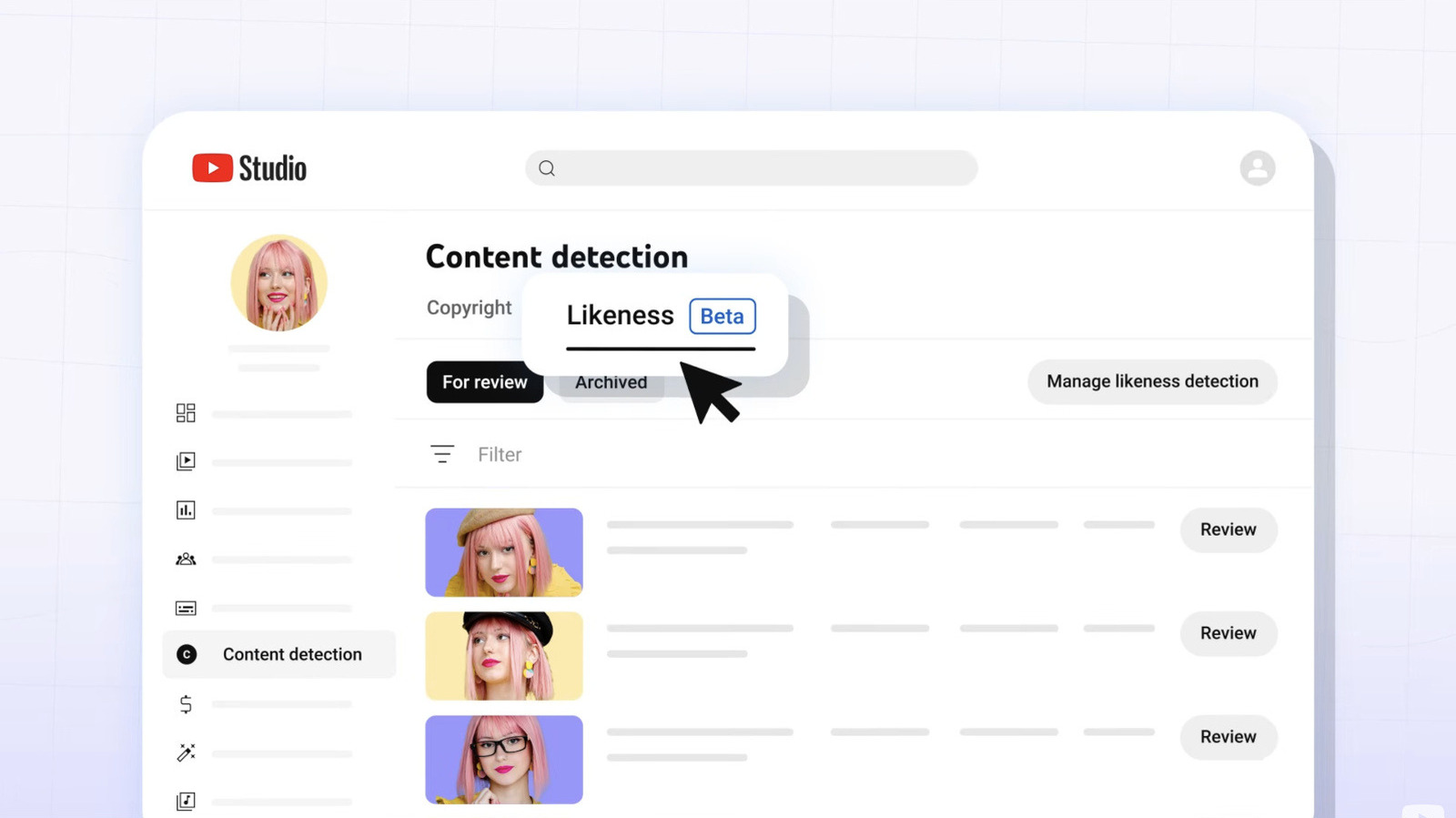
The journey to utilizing YouTube's deepfake detection tool begins within YouTube Studio, accessible from a computer. The enrollment process, while designed for security, is multi-faceted:
- Navigation: Users must first navigate to the "Likeness" section under "Content detection."
- QR Code Scan: A QR code is then presented, which needs to be scanned with a smartphone.
- Identity Verification: This is followed by the submission of a government ID.
- Selfie Video Verification: To complete the setup, a selfie video verification is required.
Once these initial steps are completed and the user is successfully set up, YouTube's system begins scanning uploaded videos for potential matches of their registered face. Any videos that the system flags as potentially using the creator's likeness will appear under the same "Likeness" tab. From there, the creator can review these flagged videos. If they confirm unauthorized use, they can then submit a removal request, providing YouTube with details on how their likeness was utilized. During this request, YouTube will also inquire if the video involved copying their voice, though, as mentioned, the tool's detection capabilities are focused on visual likeness.
This enrollment process, requiring both a government ID and a selfie video, underscores YouTube's commitment to ensuring that only the legitimate rights holder can enroll and make removal requests. While thorough, it does represent an initial hurdle for creators to overcome before benefiting from the tool's protective features. However, once established, the ongoing process of reviewing and requesting removals appears to be streamlined, offering a relatively "easy access" pathway for redress.
Pros and Cons
Pros:
- Wider Availability: Expanding access to all creators 18 and over significantly broadens the scope of protection, moving beyond exclusive groups like Partner Program members, journalists, and politicians.
- Crucial Protection: In an era of escalating deepfake threats, this tool provides a vital defense against the unauthorized and potentially malicious use of an individual's face.
- Extended Benefits: While direct access is for creators, the presence of such a tool on the platform implicitly offers a layer of protection to ordinary people whose faces might be used in misleading AI videos.
- Creator Empowerment: Creators gain a tangible mechanism to protect their intellectual property and likeness from brands or companies using their image without permission for commercial gain.
- Clear Removal Process: The tool facilitates a structured and straightforward process for reviewing flagged content and submitting formal removal requests.
- Robust Verification: The multi-step enrollment, including government ID and selfie video, enhances the security and legitimacy of likeness claims.
Cons:
- Involved Enrollment: The initial setup process is not instantaneous, requiring several steps, including switching between devices, providing personal identification, and completing a selfie video verification.
- No Voice-Only Detection: A significant limitation is the absence of voice-only detection. While users can report voice copying, the tool won't automatically flag videos based solely on an AI-generated voice clone.
- Manual Review Required: The tool identifies potential matches, but the ultimate responsibility for reviewing and initiating a removal request still lies with the user, meaning it's not a fully automated content removal system.
- Phased Rollout History: The tool's initial exclusivity to certain groups meant a delayed general availability, potentially leaving many creators vulnerable for a period.
- "Technically Creators" Ambiguity: While a spokesperson claims "anybody can use it," the enrollment process clearly targets "creators," implying that ordinary individuals without a creator presence might not be able to directly enroll for detection, even if they benefit from the overall platform-level vigilance.
Comparison to Alternatives
The source content does not provide information regarding similar deepfake detection tools offered by other platforms. Therefore, a direct comparison table with alternatives cannot be created based solely on the provided text. YouTube's offering appears to be a proactive step within its own ecosystem to address a growing problem.
Recommendation
For any YouTube creator aged 18 or older, enrolling in this AI deepfake detection tool is a no-brainer. The digital world is increasingly volatile, and protecting your likeness has become as important as securing your physical assets. While the initial setup requires a commitment of time and personal information, the ongoing peace of mind and the clear pathway to address unauthorized deepfakes make it an invaluable addition to your creator toolkit. Don't wait until your likeness is exploited; proactively secure your digital identity.
FAQ
Q: Who can use this new AI deepfake detection tool?
A: All creators on YouTube who are 18 years of age or older can gain access to this tool. While the spokesperson indicated benefits for ordinary people, direct access to the detection tool itself requires enrollment as a creator.
Q: How do I enroll to use the deepfake detection tool?
A: You can enroll from YouTube Studio on your computer. Navigate to "Likeness" under "Content detection," scan a QR code with your phone, submit a government ID, and complete a selfie video verification.
Q: Does this tool detect deepfakes based on voice alone?
A: No, the tool itself cannot make detections based on voice alone. While you can inform YouTube if a video also copied your voice when submitting a removal request, the primary detection capability focuses on visual likeness.
Related articles
Android 17 QPR2 Beta 7.1: The Performance Relief You've Been Waiting
Android 17 QPR2 Beta 7.1: Finally Fixing the QPR1 Performance Woes Verdict: Android 17 QPR2 Beta 7.1 is a crucial and highly anticipated software update for Google Pixel users, specifically targeting and resolving the

DJI Solo Video Setups: Smart Choices for Lone Creators
This review delves into DJI's recommended solo video setups, highlighting the Osmo Pocket 3 Creator Combo as a top pick for its integrated camera, gimbal, and mic. It also covers stabilizers like the Osmo Mobile 8 and RS 4, and the DJI Mic Mini series for enhanced audio, providing honest pros, cons, and clear buying advice.

Ditch Merge & Center: The Better Way to Align Text in Excel
Learn to use Excel's "Center Across Selection" to align text across cells without merging, avoiding common data manipulation issues. This guide provides steps to utilize this newly accessible feature and add it to your Quick Access Toolbar.

Ars Technica's Rocket Report: Your Essential Space Industry Briefing
Quick Verdict Ars Technica's Rocket Report, presented by veteran space reporter Stephen Clark, offers an invaluable and meticulously organized weekly (or similar frequency, implied by "Edition 9.15") digest of the most

Apple iPhone Duo: A Daring Debut with Notable Compromises
Apple's highly anticipated iPhone Duo, priced at $2,000, has gone on pre-order. While hailed as "Apple's most exciting device in a decade" for its innovative foldable design and immersive display, it comes with significant drawbacks like the absence of FaceID and a premium camera.
Tesla Unveils Thruster-Equipped Roadster, 2028 Production Targeted
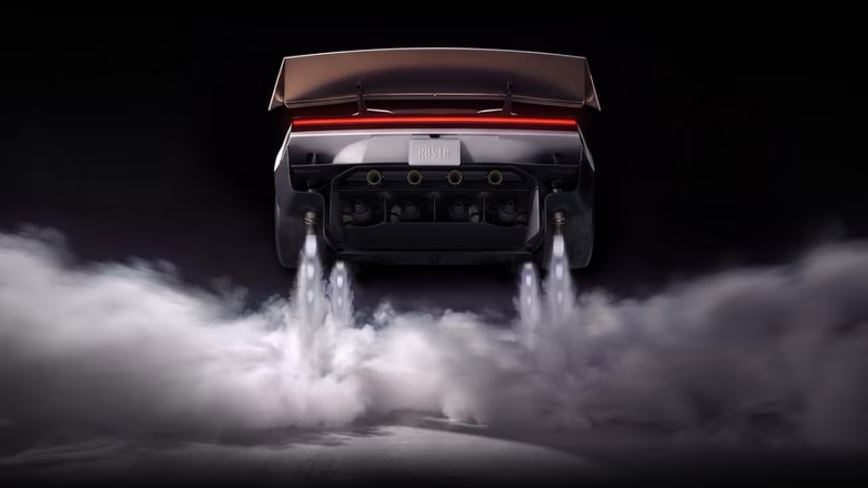
Tesla has unveiled its second-generation Roadster, featuring cold-gas thrusters co-developed with SpaceX, enabling it to jump and flip. The electric sports car demonstrated 0-60mph in an astonishing 0.81 seconds, with production targeted for 2028. This highly anticipated reveal also serves as a key recruitment tool for Tesla's ambitious AI and robotics initiatives.