
USB-C Charger Buying Guide: Don't Miss This Critical Spec
This guide reveals the hidden spec critical for fast USB-C charging: USB PD PPS with broad voltage support. Don't just check wattage; understand how specific voltage/current profiles (e.g., 21V) are vital for optimal speeds, especially for Samsung and Pixel phones, to future-proof your charger purchase.
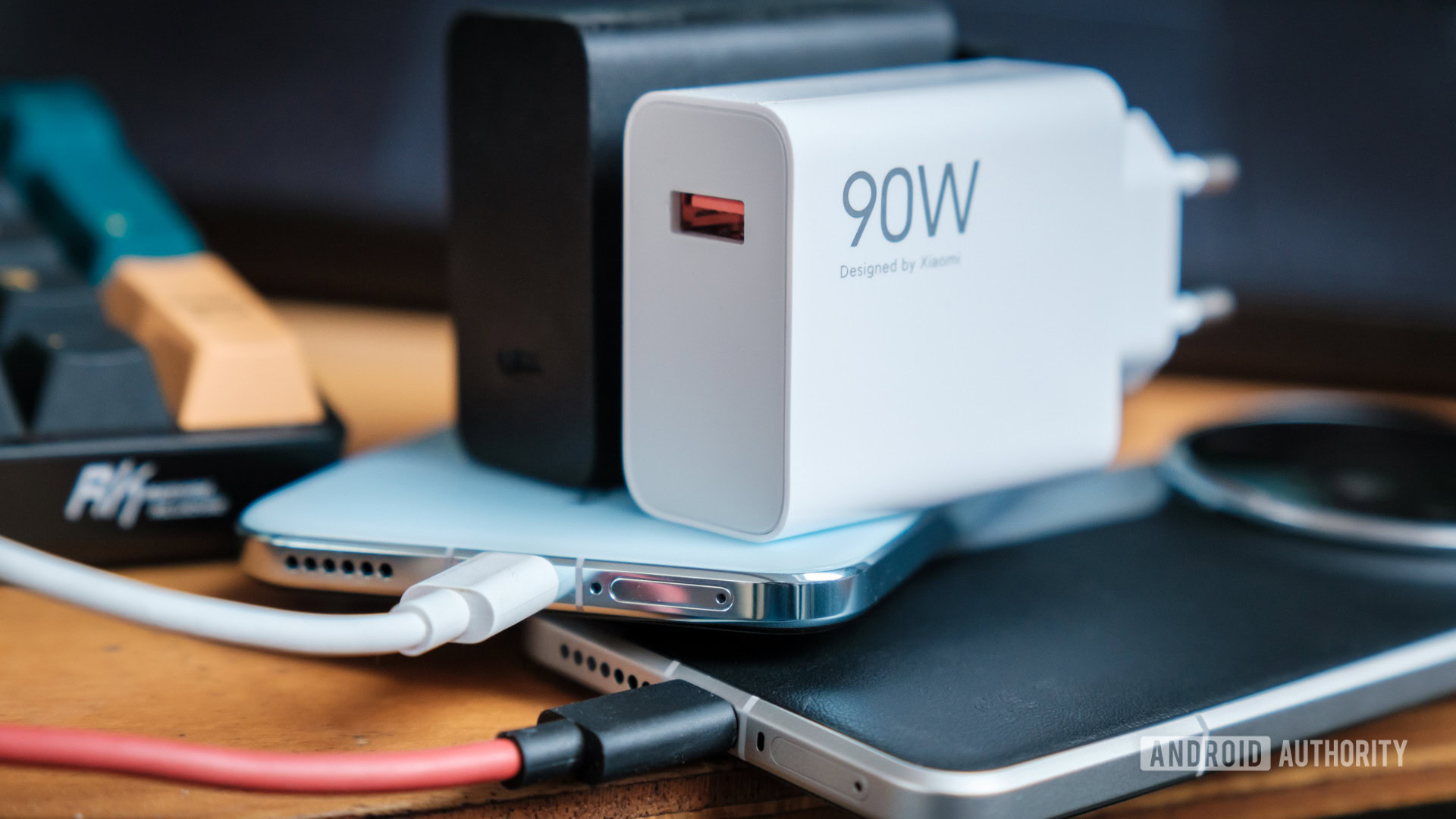
Before you dive into the sea of USB-C chargers, hoping to find one that powers your devices quickly and efficiently, stop for a moment. It's not as simple as checking the wattage on the box. As an experienced tech reviewer, I've seen countless users, and even seasoned tech enthusiasts, get tripped up by a critical, yet often hidden, specification that dictates whether your device charges at peak performance or merely limps along. Let's pull back the curtain on this vital detail and ensure your next charger purchase is a smart one.
The Honest Verdict: More Than Just Watts
Many of us have been there: you buy a new USB-C charger, confident in its high wattage rating, only to find your phone or laptop taking forever to charge. The quick verdict is this: don't just buy a USB-C charger based on its maximum wattage. The real secret to unlocking optimal charging speeds lies in understanding USB Power Delivery (PD) with Programmable Power Supply (PPS) and its supported voltage ranges. Without this, even a 100W charger might be less effective than a properly specified 45W one for your specific device. Investing a little time in research now will save you a lot of frustration and potentially prolong the life of your gadgets.
Unpacking the Critical Specs: USB PD PPS and Voltage
USB-C and USB Power Delivery were intended to simplify charging, promising a universal connector and standardized charging. In many ways, they've succeeded; USB-C is ubiquitous across phones, tablets, and laptops. However, the path from 'technically works' to 'works optimally' is still surprisingly convoluted. The core issue? While the connector is universal, the charging protocols and the specific voltage and current combinations devices require for fast charging are not.
Most modern smartphones, particularly Android devices from Samsung, Google, Motorola, OnePlus, and Xiaomi, leverage USB PD PPS. This extension allows for more granular control over voltage and current, enabling more efficient and faster charging by dynamically adjusting power delivery to the device's needs. Apple's latest iPhones, for instance, utilize USB PD AVS for their fast charging capabilities.
Here’s where it gets tricky: even if your phone supports USB PD PPS at, say, 45W, it might demand a specific voltage and current pairing to achieve that speed. If your charger doesn't offer that exact profile, your device will charge at a slower, fallback speed, regardless of the charger's stated maximum wattage.
Consider Samsung's journey with its Galaxy S Ultra series. The Galaxy S21 Ultra initially used a 9V, 5A profile for 45W charging. Later models shifted to a roughly 12V, 3A profile. The most recent Galaxy S26 Ultra pushes this further, requiring a 21V, 3A profile to hit around 65W. An older 9V-only charger, despite its high wattage, would only deliver about 27W to these newer phones. Google's Pixel lineup tells a similar story; while older Pixels might charge at 27W with a 9V, 3A profile, the Pixel 9 Pro XL or 10 Pro XL needs 21V at a lower 1.25A to reach 37W. The takeaway is clear: wattage alone is misleading; specific voltage capabilities are paramount.
The User Experience: From Frustration to Fast Charging Nirvana
Choosing a USB-C charger can be a frustrating experience. The market is flooded with options, many of which proudly display high wattage numbers on the packaging. Yet, the real-world performance often falls short of expectations. It’s disheartening to plug in a seemingly powerful charger, only to return hours later to a device that’s barely moved past 50%. This creates unnecessary electronic waste as consumers cycle through chargers, hoping to stumble upon one that finally delivers.
However, once you understand the importance of USB PD PPS and voltage ranges, the user experience transforms. Imagine having one charger that genuinely fast-charges all your modern USB-C devices, from your phone to your tablet and even many laptops. This not only declutters your life but also provides the peace of mind that comes with efficient, reliable power delivery. The initial hurdle of research pays dividends in consistent, optimal charging performance across your entire tech ecosystem.
Pros and Cons of a Smart Charger Purchase
Pros:
- Optimal Charging Speed: Devices charge at their maximum intended speeds, significantly reducing downtime.
- Future-Proofing: A charger with broad USB PD PPS voltage support (ideally up to 21V) is more likely to be compatible with your future devices, making it a long-term investment.
- Reduced E-Waste: Buying one highly compatible charger means fewer redundant chargers gathering dust in drawers.
- Enhanced Efficiency: PPS allows for more flexible and efficient power negotiation between the charger and device, potentially leading to less heat generation.
- Versatility: A well-chosen charger can power a wide array of devices, from smartphones to demanding laptops, consolidating your charging needs.
Cons:
- Opaque Specifications: Many manufacturers do not clearly list the specific voltage ranges supported by their PPS profiles, making due diligence challenging.
- Technical Learning Curve: Understanding terms like USB PD, PPS, and voltage ranges requires a bit more technical knowledge than simply looking at wattage.
- Initial Research Time: Finding the right charger demands a bit of upfront investigation, including scouring product photos, detailed spec sheets, or consumer reviews for the hidden voltage information.
- Potential for Misleading Marketing: Relying solely on wattage claims or generic 'compatible device' lists can lead to sub-optimal purchases.
Clear Buying Recommendation: Your USB-C Charger Checklist
To ensure you're making a wise investment in your next USB-C charger, look beyond the headline wattage and arm yourself with this checklist:
- USB PD + PPS Support: This is non-negotiable for fast charging on most modern Android phones. Look for this explicitly stated in the specifications.
- Broad Voltage Ranges (Crucial): Don't stop at wattage. Seek out chargers that list PPS as a range (e.g., 3.3-21V at 5A), rather than just fixed outputs (e.g., 9V/5A). Ideally, aim for support up to 21V to cover current and future high-speed devices.
- Match the Power Level (Wattage): While not the only factor, ensure the charger's total wattage meets or exceeds your device's maximum charging requirements. 30W is often sufficient for many phones, but tablets and laptops might need 65W or more.
- Check Multi-Port Limits: If buying a multi-port charger, understand that the total advertised wattage is often shared dynamically between ports. Ensure individual ports can still deliver enough power for your primary devices simultaneously.
- Use the Right Cable: High-speed charging often requires a high-quality USB-C cable rated for 5A (100W) or even 240W for the latest USB PD 3.1 Extended Power Range (EPR) chargers. A subpar cable can be a bottleneck.
Finding these detailed specifications might require digging into product images, manufacturer websites, or even user-submitted photos of the charger itself. But the effort is well worth it. A charger with broad compatibility and the correct voltage profiles will serve you reliably for years, transforming from a mere accessory into a valuable long-term asset.
FAQ
Q: Why is just looking at wattage not enough for a USB-C charger?
A: While wattage indicates a charger's maximum power output, modern devices often require specific voltage and current combinations (profiles) to achieve their fastest charging speeds, especially with USB PD PPS. A charger with high wattage but lacking the correct voltage profile for your device will charge slower than one with the right profile, even if the latter has a lower overall wattage rating.
Q: What is USB PD PPS and why is it important?
A: USB PD PPS (Programmable Power Supply) is an extension of the USB Power Delivery standard that allows for dynamic, step-less adjustment of voltage and current between the charger and the device. This flexibility enables more efficient and optimized charging, allowing devices to draw power at their ideal rate, which results in faster charging times and reduced heat generation compared to fixed voltage steps.
Q: How can I tell if a charger supports the broad voltage ranges I need?
A: Look at the charger's specifications, often found on the product listing, packaging, or the charger body itself. For PPS, look for a range of voltages (e.g., "PPS: 3.3-21V @ 5A") rather than just fixed output values (e.g., "9V/5A, 15V/3A"). A range that includes 21V or higher typically offers excellent compatibility for modern high-speed devices. If the information isn't clear, check product images or consumer reviews for detailed specification photos.
Related articles
Android 17 QPR2 Beta 7.1: The Performance Relief You've Been Waiting
Android 17 QPR2 Beta 7.1: Finally Fixing the QPR1 Performance Woes Verdict: Android 17 QPR2 Beta 7.1 is a crucial and highly anticipated software update for Google Pixel users, specifically targeting and resolving the

DJI Solo Video Setups: Smart Choices for Lone Creators
This review delves into DJI's recommended solo video setups, highlighting the Osmo Pocket 3 Creator Combo as a top pick for its integrated camera, gimbal, and mic. It also covers stabilizers like the Osmo Mobile 8 and RS 4, and the DJI Mic Mini series for enhanced audio, providing honest pros, cons, and clear buying advice.

Ditch Merge & Center: The Better Way to Align Text in Excel
Learn to use Excel's "Center Across Selection" to align text across cells without merging, avoiding common data manipulation issues. This guide provides steps to utilize this newly accessible feature and add it to your Quick Access Toolbar.

Ars Technica's Rocket Report: Your Essential Space Industry Briefing
Quick Verdict Ars Technica's Rocket Report, presented by veteran space reporter Stephen Clark, offers an invaluable and meticulously organized weekly (or similar frequency, implied by "Edition 9.15") digest of the most

Apple iPhone Duo: A Daring Debut with Notable Compromises
Apple's highly anticipated iPhone Duo, priced at $2,000, has gone on pre-order. While hailed as "Apple's most exciting device in a decade" for its innovative foldable design and immersive display, it comes with significant drawbacks like the absence of FaceID and a premium camera.

AI's Confidence vs. Formal Methods' Rigor: Design Flaws & Verification
While AI accelerates code generation, formal methods remain critical for ensuring system correctness. Languages like TLA+ and tools like Quint enable developers to model and verify system designs before coding, catching subtle flaws. Quint makes formal methods more accessible with developer-friendly syntax and executability. This approach is vital for verifying AI-generated code through trace validation and model-based testing, ensuring reliability against real-world data.