
Navigate Amazon's Vega OS Shift: Why Your Fire TV Stick Remains
Understand Amazon's Vega OS shift, its impact on sideloading, and why your current Fire TV Stick remains valuable for maintaining app flexibility.
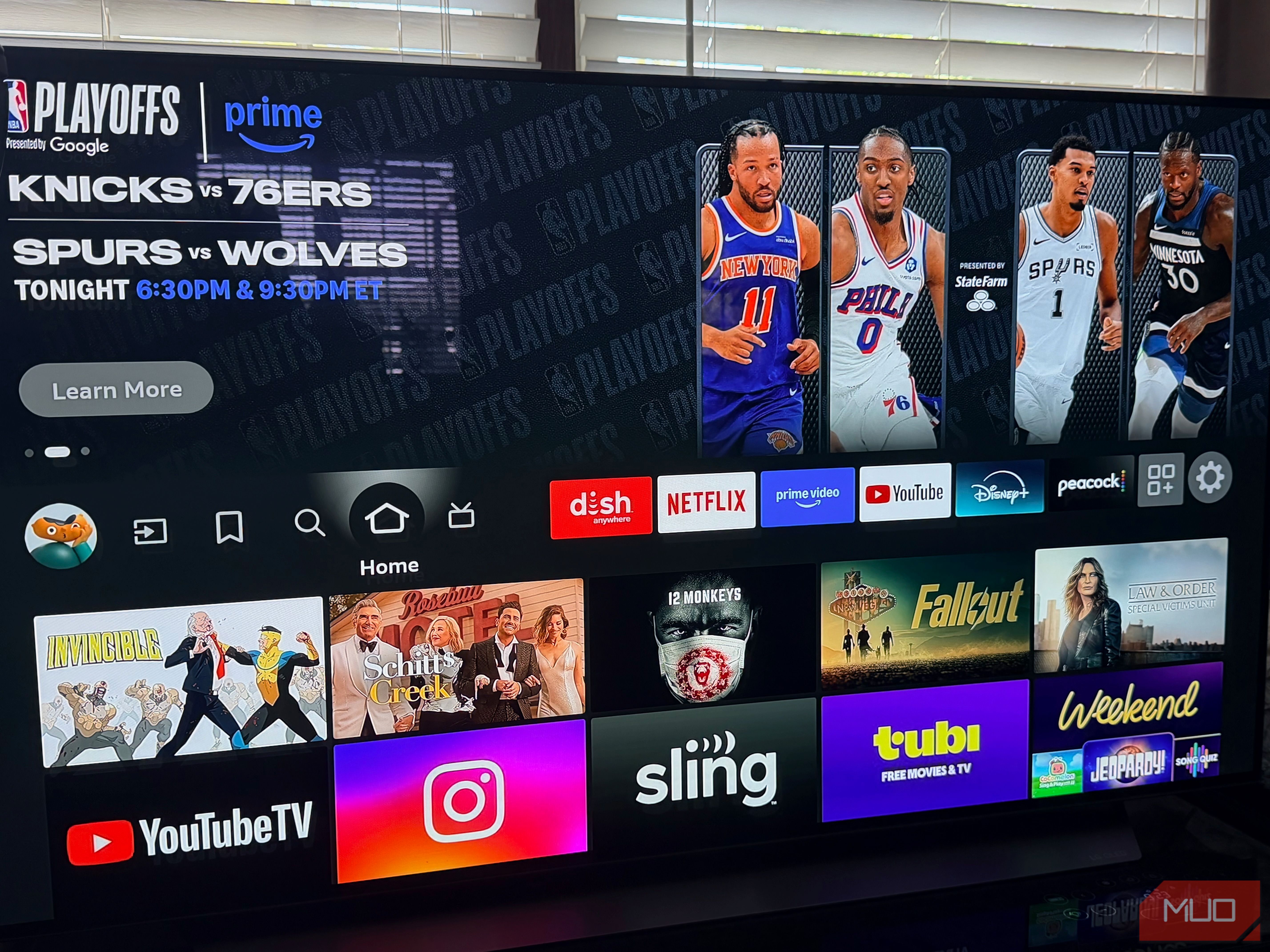
Amazon’s Fire TV Stick ecosystem is undergoing a significant change with the introduction of Vega OS. While new devices will ship with this Linux-based operating system, your existing Fire TV Stick, running the Android-based Fire OS, isn't just staying relevant – for many, it's becoming even more valuable. This guide will walk you through what Vega OS means for your streaming experience, explain a critical feature you might lose, and help you make informed decisions to keep your Fire TV setup future-proof.
What You'll Accomplish
By the end of this guide, you will:
- Understand what Vega OS is and how it differs from Fire OS.
- Learn which Fire TV Sticks are affected by this change.
- Grasp the concept of "sideloading" and why its potential loss is significant for some users.
- Identify whether your current Fire TV Stick retains crucial flexibility.
- Receive actionable advice on how to keep your streaming options open, whether you're keeping your old stick or considering a new purchase.
Prerequisites
- An Amazon Fire TV Stick (any model).
- An understanding of how you currently use your Fire TV Stick (e.g., only official apps, or do you use apps from other sources?).
- A desire to understand the implications of Amazon's platform shift.
Understanding Vega OS: Amazon's New Vision
Amazon has officially confirmed a major shift: all new Fire TV Sticks will now run Vega OS, their new Linux-based operating system. This marks a definitive break from the Android-based Fire OS that has powered Fire TV devices for years. Two devices already lead this charge: the Fire TV Stick 4K Select (released October 2025) and the latest Fire TV Stick HD. Every Fire TV Stick released from this point forward will join them.
What This Means for Your Existing Devices:
If you already own a Fire TV Stick, don't worry – nothing is changing on your device. Amazon is not pushing Vega OS to existing Fire OS hardware, and there's no indication this will change. Popular models like the Fire TV Stick 4K Plus and the Fire TV Stick 4K Max, which continue to run Amazon's Android-based Fire OS 8, will continue to receive software updates through 2030. Your current Fire TV Stick will keep working exactly as it does now.
This change primarily impacts what you might buy in the future.
The Game Changer: What Sideloading Is and Why It Matters
For many users, particularly those who like more control over their devices, the biggest impact of Vega OS centers around a feature called sideloading.
1. What is Sideloading?
Sideloading is the practice of installing applications on a device from sources outside of its official app store. On Android-based Fire TV devices (like your current one), this has always been relatively easy. You could enable "Apps from Unknown Sources" in the settings, download an APK file (Android Package Kit), and install it directly.
2. Why was Sideloading Possible on Fire OS?
Fire OS was built on the Android Open Source Project. While Amazon heavily customized the interface, the underlying Android foundation inherently allowed for installing apps from various sources. This provided a crucial layer of flexibility and control for users.
3. Why Vega OS Effectively Ends Sideloading for Most Users:
Vega OS is fundamentally different. As a Linux-based system, it does not have the Android foundation that enabled easy sideloading. The "Apps from Unknown Sources" option simply doesn't exist. While a technical path for developers to sideload apps does exist (requiring an Amazon developer account, a USB cable, and command-line tools), this is not a realistic or accessible option for the average user. Amazon likely sees this as a security feature, not a limitation.
Protecting Your Fire TV Stick's Longevity
The loss of easy sideloading isn't just about power users. For years, it has served as a quiet safety net, extending the life and usability of Fire TV devices when official app support faltered.
The HBO Max Example:
Consider the recent situation with HBO Max. The app updated to drop support for devices running Fire OS 5 – hardware sold roughly between 2015 and 2020. This affected millions of active Fire TV devices. Historically, when an app dropped support, sideloading provided workarounds: installing an older, compatible version of the app, using a Kodi add-on, or finding an APK from another source. These weren't perfect solutions, but they offered options to keep devices functional.
On a Vega OS device, these options are gone. If a streaming service stops supporting your stick, you're essentially at a dead end.
The Cloud App Program:
To help developers transition to Vega OS, Amazon introduced a Cloud App Program, hosting Android versions of apps and streaming them to Vega devices. While Amazon covers the hosting cost for nine months, developers must eventually rebuild native Vega versions or pay for continued cloud hosting. Some apps may simply walk away, creating potential gaps in app availability on Vega OS that sideloading could have filled on Fire OS.
Making an Informed Choice: For Casual vs. Power Users
The impact of Vega OS varies significantly depending on how you use your Fire TV Stick.
1. For the Average Fire TV User:
If your Fire TV Stick is primarily for watching popular services like Netflix, Prime Video, YouTube, Disney+, or other mainstream apps, Vega OS will likely change almost nothing for you. The interface will look familiar, your remote will work the same, and all major streaming apps will be supported. For casual viewers, the Vega experience will feel essentially identical to what they already have. Roku, for example, has never allowed sideloading and dominates the market, proving that most users don't need or miss this feature.
2. For Sideloaders and Flexibility Seekers:
If you currently sideload apps, or if you simply want the freedom to do so in the future as a backup for app longevity, the choice is clear:
- Do not buy a new Vega OS Fire TV Stick. The Fire TV Stick 4K Select and Fire TV Stick HD are already Vega devices, and all future sticks will be too.
- Prioritize Fire OS devices. Your best options for retaining sideloading capabilities are the Fire TV Stick 4K Plus and, especially, the Fire TV Stick 4K Max. Both are still available today, run Android-based Fire OS, and will support sideloading and receive updates through 2030. The 4K Max offers more powerful hardware, providing better performance and longevity.
Best Practices for Fire TV Stick Owners
Here's how to ensure you're making the best choices for your Fire TV Stick experience:
- Assess Your Usage: Think about whether you currently sideload apps, or if you value the flexibility to do so as a future workaround for unsupported apps. If this capability is important, your existing Fire OS stick holds significant value.
- Consider Future-Proofing: If sideloading is a must-have for you, consider purchasing an additional Fire TV Stick 4K Max while they are still available. Once these Android-based models are discontinued, the option for easy sideloading on new Fire TV hardware will be gone.
- Keep Your Fire OS Device Updated: While your Fire OS stick won't get Vega OS, ensure it receives regular Fire OS updates through 2030 to maintain security and compatibility with current apps.
- Be Aware of App Ecosystem Evolution: The HBO Max situation is a clear indicator that app support can change. Having a sideloading-capable device offers an important safety net against such changes.
Next Steps & Staying Ahead
By understanding the shift to Vega OS, you can make informed decisions about your Fire TV devices. For many, simply continuing to use their existing Fire OS stick is the best way to maintain the full range of functionality they've come to expect. For those who rely on or anticipate needing sideloading, securing a Fire TV Stick 4K Max provides a valuable bridge to the future.
Stay informed about app compatibility and software updates for your Fire TV devices. The streaming landscape is always evolving, and knowledge is your best tool for keeping your entertainment setup exactly how you like it.
FAQ
Q: Will my current Fire TV Stick automatically update to Vega OS?
A: No, Amazon is not pushing Vega OS to existing Fire TV Sticks. Your current device will continue to run its Android-based Fire OS and receive updates for that system through 2030.
Q: If I only watch Netflix and Prime Video, should I be concerned about Vega OS?
A: Probably not. For most casual users who stick to mainstream apps available in Amazon's official Appstore, the Vega OS experience will feel essentially the same as Fire OS, with all major apps supported.
Q: What's the best Fire TV Stick to buy right now if I want to keep sideloading capability?
A: Your best options are the Fire TV Stick 4K Plus or, even better, the Fire TV Stick 4K Max. Both run Android-based Fire OS and fully support sideloading. The 4K Max offers more robust hardware for better long-term performance.
Related articles
TCG Pocket Responds: A Much-Needed Pace Shift for Pokémon Fans
Pokémon TCG Pocket is rolling out a major update for its second anniversary, primarily addressing player concerns about overwhelming content releases by shifting to a six-week set schedule. This aims to curb player decline and improve overall engagement by giving trainers more time to collect and strategize. The update also adds new collection methods, improved deck-building features, and enhanced trading functionality.

Ditch Merge & Center: The Better Way to Align Text in Excel
Learn to use Excel's "Center Across Selection" to align text across cells without merging, avoiding common data manipulation issues. This guide provides steps to utilize this newly accessible feature and add it to your Quick Access Toolbar.

Ars Technica's Rocket Report: Your Essential Space Industry Briefing
Quick Verdict Ars Technica's Rocket Report, presented by veteran space reporter Stephen Clark, offers an invaluable and meticulously organized weekly (or similar frequency, implied by "Edition 9.15") digest of the most
Amazon Prime Video Launches AI-Powered Prime 360 for NBA Coverage
Amazon Prime Video is elevating its NBA coverage with the introduction of Prime 360, an AI-powered replay system offering immersive, 'fly through' views of the action. Kicking off its second season, Prime Video also adds Yahoo fantasy integration and gains exclusive Eastern Conference Finals rights, expanding its tech-driven sports broadcast. The new features aim to deliver a unique and interactive viewing experience for basketball fans.

Stop Android Auto Battery Drain: Essential Features to Disable and
Android Auto offers unparalleled convenience, bringing your phone's most useful features directly to your car's display. From navigation and calls to messages and music, it keeps you connected without distracting you

Apple’s new HomeView smart display is $10 cheaper at Amazon: latest
In a rare move for a new Apple product, the highly anticipated HomeView smart display is already available at a discount on Amazon, weeks before its official launch. Consumers can now pre-order Apple's first dedicated