
iPhone 18 Pro Features: Subtle Evolution, Significant Impact
The iPhone 18 Pro is here, and while the buzz might have been stolen by the enigmatic iPhone Duo, Apple has quietly packed its latest Pro model with a suite of refinements that are more impactful than they first appear.
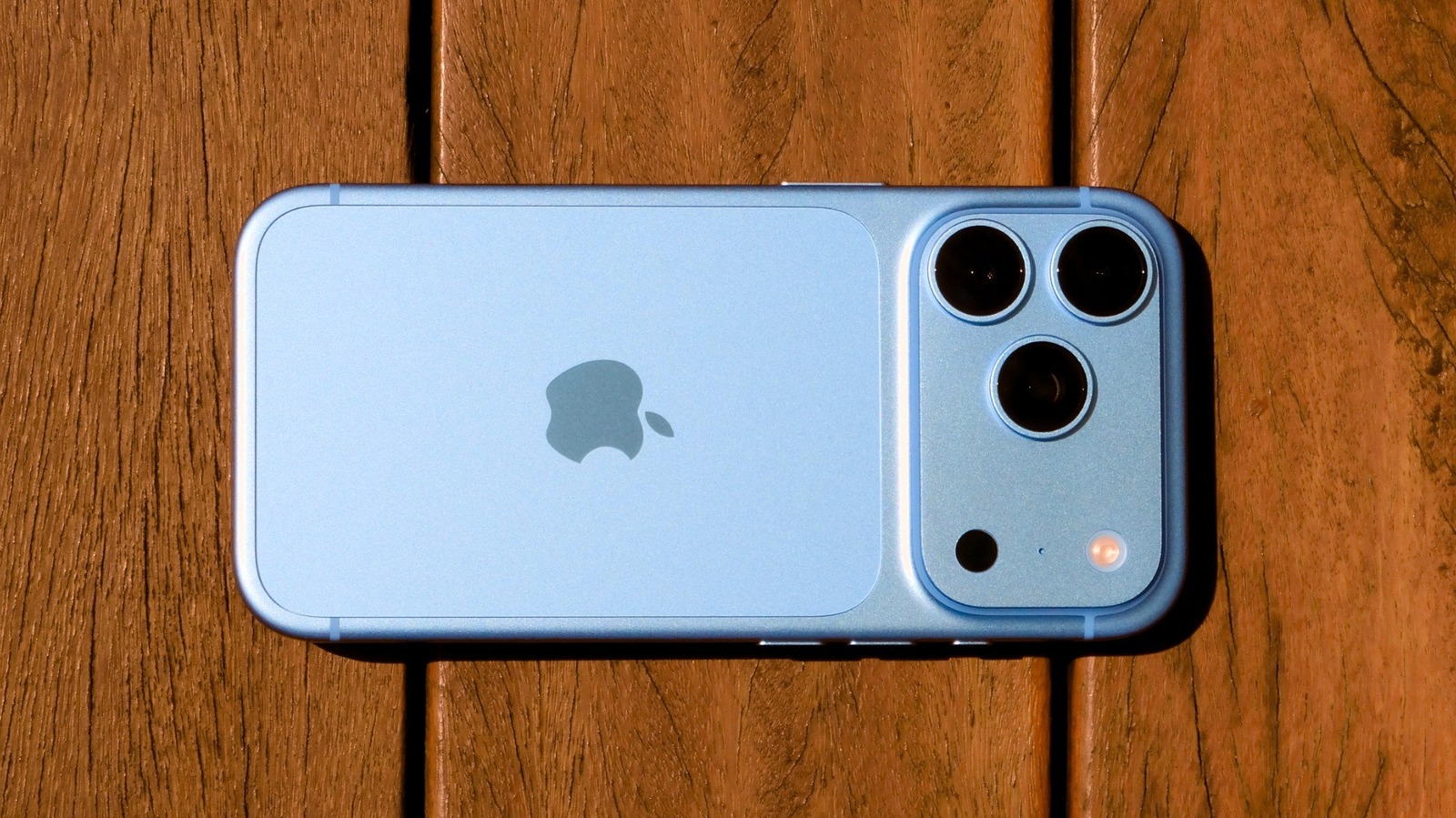
The iPhone 18 Pro is here, and while the buzz might have been stolen by the enigmatic iPhone Duo, Apple has quietly packed its latest Pro model with a suite of refinements that are more impactful than they first appear. For those upgrading or jumping into the Apple ecosystem, the 18 Pro offers a thoughtful blend of photographic control, enhanced user interface, and practical everyday improvements. It’s not a revolution, but a polished evolution, particularly in areas that matter most to enthusiasts and power users.
From a groundbreaking variable aperture camera to a more versatile Dynamic Island and seriously rapid charging, the iPhone 18 Pro focuses on empowering users with more control and efficiency. Let's dive into the five features you'll be eager to explore right out of the box.
Playing with the Camera's New Variable Aperture
Apple's biggest camera upgrade this cycle comes in the form of a variable aperture for the 18 Pro's 48-megapixel main lens. This isn't just a software trick; the lens physically adjusts with six blades, mimicking the mechanics of a DSLR. This grants users an unprecedented level of control over light intake and depth of field directly from the native Camera app. With four settings – f/1.48, f/1.8, f/2.8, and f/4 – you can dramatically alter the look and feel of your shots.
For instance, the wide-open f/1.48 setting is fantastic for low-light scenarios, letting in more light and producing a beautiful, creamy background blur that makes your subject pop. Conversely, closing down to f/4 is ideal for landscapes or group shots, ensuring everyone and everything in the frame remains sharp. This smaller aperture also introduces a pleasing starburst effect around bright light sources, a creative touch previously difficult to achieve on an iPhone. Accessing these controls is straightforward via the six-dot button in the Camera app, though it's important to remember this functionality is exclusive to the main lens (1x and 2x modes).
Exploring the New Pro Camera Controls
Beyond variable aperture, the iPhone 18 Pro finally brings a suite of manual camera controls to the native Camera app that were once the exclusive domain of third-party applications. Users can now directly adjust shutter speed, focus, and white balance without leaving Apple’s default camera interface. This is a game-changer for those who want more creative command over their photography.
Imagine capturing the ethereal light trails of car headlights at night by manually setting a slow shutter speed, or ensuring consistent skin tones by locking the white balance when moving between different lighting conditions indoors. These controls are also accessible through the intuitive six-dot button. What's even better is the ability to customize the Camera app's top bar, allowing you to drag and drop your most frequently used controls for immediate access, streamlining your shooting workflow significantly.
Adjusting Grain and Texture in Photographic Styles
Photographic Styles, first introduced with the iPhone 13, have received a notable upgrade in the iPhone 18 Pro, adding new controls for grain and texture. Unlike a generic filter that applies changes universally, Photographic Styles intelligently adjust specific layers of an image, preserving skin tones while altering contrast, shadows, or colors. The addition of grain and texture adjustments takes this customization a step further.
After taking a photo, navigate to the editing menu and tap 'Styles' to reveal the new options. Within the 'Customize' and 'Texture' tabs, you can now soften skin tones subtly without impacting other elements, add a desired glow to highlights, or even apply a classic film-like grain effect. These new controls offer a fantastic playground for users looking to imbue their photos with a distinctive artistic flair or a nostalgic analog feel.
Trying Out the New Dynamic Island
The Dynamic Island, Apple’s ingenious transformation of a hardware cutout into an interactive software element, gets a practical enhancement on the iPhone 18 Pro. While its core function of displaying useful live activities and alerts remains, Apple has managed to shrink its physical footprint. This means more screen real estate is available when the Dynamic Island is inactive, providing a less intrusive viewing experience.
More significantly, the Dynamic Island can now manage up to three Live Activities simultaneously. This multitasking capability is incredibly useful – you could be controlling music, monitoring a timer, and tracking a sports score all at once. The interaction remains consistent with previous models: a simple press and hold expands individual activities. This improvement makes the Dynamic Island not just a novel feature, but a genuinely more functional and versatile element of the iPhone 18 Pro's user interface, with existing Dynamic Island-compatible apps automatically benefiting from these changes.
Plugging It In for a Fast Charge
Battery life improvements are always welcome, and while the iPhone 18 Pro boasts longer lasting power, the real efficiency gain comes with its significantly faster charging capabilities. You can now juice up your iPhone 18 Pro from 0 to 50 percent in a mere 15 minutes with the right wired adapter. For those who prefer the convenience of MagSafe, a 30-minute charge will get you to 50 percent, which is still quite respectable.
This rapid charging is a godsend for those emergency situations or when you simply forget to charge overnight. However, there’s a crucial caveat: to achieve these speeds, you'll need a compatible USB PD 3.1 adapter (60W or higher) with Adjustable Voltage Supply. Apple’s own 40W Dynamic Power Adapter, which can peak at 60W, was used in their tests. It’s also worth noting that these impressive speeds apply to the first half of the battery's charge, with the latter half slowing down to protect battery health. Even with this, the faster initial boost is a significant improvement for daily usability.
Overall User Experience
The iPhone 18 Pro’s features coalesce to offer a more refined and capable user experience. The advanced camera controls elevate the device from a point-and-shoot marvel to a serious photographic tool, bridging the gap between smartphone convenience and DSLR-like control. The Dynamic Island's evolution proves that Apple is committed to improving its unique UI elements, making them more practical. And while faster charging might seem mundane, its impact on daily convenience is profound.
Pros and Cons
Pros:
- Unprecedented Camera Control: Variable aperture and manual settings offer creative freedom usually found on professional cameras.
- Enhanced Photographic Styles: New grain and texture options allow for deeper, more artistic customization of photos.
- More Functional Dynamic Island: Smaller footprint and multi-activity display improve multitasking and screen utility.
- Significantly Faster Wired Charging: Quick 0-50% charge provides critical power boosts in emergency situations.
- Improved User Experience: Collectively, these features make the iPhone more versatile and efficient for power users.
Cons:
- Camera Controls Limited: Variable aperture and certain manual settings are only available on the main lens.
- Charging Requires Specific Adapter: Achieving the fastest wired charging speeds necessitates purchasing a powerful, compatible USB PD 3.1 adapter separately.
- Dynamic Island Still a Cutout: While improved, it remains a physical interruption on the display for some users.
- Incremental, Not Revolutionary: The features are refinements rather than groundbreaking innovations compared to previous models.
Buying Recommendation
The iPhone 18 Pro, with its refined feature set, is an excellent choice for photography enthusiasts and power users who demand more control and efficiency from their smartphone. If you're currently using an older iPhone (pre-15 Pro) and are looking for substantial camera upgrades, more precise photographic control, and quicker charging, this model presents a compelling argument. The improved Dynamic Island also adds a layer of convenience for those who juggle multiple Live Activities. However, if you're on a recent Pro model (iPhone 16 Pro or 17 Pro) and aren't heavily invested in manual photography or the minute improvements to the Dynamic Island, the upgrade might feel less impactful, especially considering the need for a specific charging adapter to maximize speed. For those who value nuanced control and significant time-saving features, the 18 Pro is certainly worth considering.
FAQ
Q: Do I need to buy a new charger to take advantage of the faster charging?
A: Yes, to achieve the fastest wired charging speeds (0-50% in 15 minutes), you will need a USB PD 3.1 compatible power adapter with Adjustable Voltage Supply, rated at 60W or higher. Your older Apple chargers or standard low-wattage adapters will still charge the phone, but at a slower rate.
Q: Are the new camera controls easy to use for a beginner?
A: While the new variable aperture and manual controls offer professional-level flexibility, Apple has designed them to be accessible. They are integrated into the native Camera app and can be customized for quick access. Beginners can start by experimenting with the different aperture settings, which have clear visual effects, and gradually explore shutter speed and white balance as they become more comfortable. The new Photographic Styles, especially grain and texture, are also intuitive for adding creative touches.
Q: Is the Dynamic Island change a big deal for everyday use?
A: For users who frequently interact with Live Activities like timers, music playback, or sports scores, the ability to display up to three simultaneously is a significant convenience upgrade, reducing the need to constantly switch between apps. The slightly smaller physical size also contributes to a less obtrusive display when it’s not actively showing information. While not a radical redesign, it makes the Dynamic Island noticeably more functional for multitasking.
Related articles

Apple Unveils iPhone Duo: Pricey Foldable Sees Soaring Demand
Apple has officially entered the foldable smartphone arena with the long-anticipated launch of the iPhone Duo. Priced starting at a hefty $1,999, the device features a 5.4-inch outer display and a larger 7.6-inch inner
Android 17 QPR2 Beta 7.1: The Performance Relief You've Been Waiting
Android 17 QPR2 Beta 7.1: Finally Fixing the QPR1 Performance Woes Verdict: Android 17 QPR2 Beta 7.1 is a crucial and highly anticipated software update for Google Pixel users, specifically targeting and resolving the

DJI Solo Video Setups: Smart Choices for Lone Creators
This review delves into DJI's recommended solo video setups, highlighting the Osmo Pocket 3 Creator Combo as a top pick for its integrated camera, gimbal, and mic. It also covers stabilizers like the Osmo Mobile 8 and RS 4, and the DJI Mic Mini series for enhanced audio, providing honest pros, cons, and clear buying advice.

TCG Pocket Responds: A Much-Needed Pace Shift for Pokémon Fans
Pokémon TCG Pocket is rolling out a major update for its second anniversary, primarily addressing player concerns about overwhelming content releases by shifting to a six-week set schedule. This aims to curb player decline and improve overall engagement by giving trainers more time to collect and strategize. The update also adds new collection methods, improved deck-building features, and enhanced trading functionality.

Ars Technica's Rocket Report: Your Essential Space Industry Briefing
Quick Verdict Ars Technica's Rocket Report, presented by veteran space reporter Stephen Clark, offers an invaluable and meticulously organized weekly (or similar frequency, implied by "Edition 9.15") digest of the most

Apple iPhone Duo: A Daring Debut with Notable Compromises
Apple's highly anticipated iPhone Duo, priced at $2,000, has gone on pre-order. While hailed as "Apple's most exciting device in a decade" for its innovative foldable design and immersive display, it comes with significant drawbacks like the absence of FaceID and a premium camera.