
Claude Code in Docker Sandboxes: Controlled Automation Explained
As software developers, we're constantly seeking ways to automate repetitive tasks and accelerate our workflows. Modern AI agents like Claude Code promise more than just code suggestions; they can truly take on
As software developers, we're constantly seeking ways to automate repetitive tasks and accelerate our workflows. Modern AI agents like Claude Code promise more than just code suggestions; they can truly take on development tasks: editing files, installing dependencies, running tests, and even starting applications. This capability introduces a critical question: how do we grant an AI agent this level of access without compromising the security and integrity of our local development environment?
Docker Sandboxes provides a robust answer. It runs Claude Code within a lightweight Linux virtual machine, a microVM, offering a secure, isolated environment with controlled access to your project files and network. This isolation allows Claude to operate with administrative (sudo) privileges within its sandbox, installing software and modifying system files, yet remain entirely contained, unable to affect your host machine's core operating system or unshared files.
My recent experiments explored the practical extent of this freedom and its inherent limits. Inside a Docker sandbox, Claude successfully added a health endpoint to a Flask application, wrote a corresponding test, built a Docker image, passed all tests within a container, and verified the application's response – all without requiring command-by-command approval. I also investigated Docker's two primary project modes: direct mode, where Claude's changes immediately affect your host project, and clone mode, where it works on an isolated copy, allowing you to review changes before integrating them. This article will delve into what Docker Sandboxes isolates, the insights from these tests, and how you can leverage Claude within a sandbox for your own projects, configuring network access and reviewing its output.
The Isolated World of Docker Sandboxes
Your development machine acts as the host, while the sandbox operates as a distinct Linux environment. Unlike standard Linux containers that share the host kernel, a Docker Sandbox boasts its own kernel. This fundamental difference creates a strong separation between the sandbox's operating system and your host operating system. Within this isolated environment, Claude has sudo access, meaning it can install software or modify system files inside the sandbox, but these permissions do not extend to your Mac or other host machines.
Docker's integration with Claude Code defaults to running Claude with the --dangerously-skip-permissions flag, which bypasses Claude's native tool-approval prompts. This design delegates the responsibility of isolation and access control entirely to Docker Sandboxes, managed through the sbx command-line tool.
Key components of this isolation include:
- MicroVM: Provides a dedicated kernel, ensuring deep OS-level separation from the host.
- Workspace Mount: Your chosen project folder is made available inside the sandbox. Its behavior depends on the chosen project mode.
- Isolated Docker Engine: Claude can build and run Docker images and containers within the sandbox's own Docker daemon, separate from any Docker Engine running on your host.
- Host Policy Proxy: Outbound network requests from the sandbox pass through a proxy on your host. This proxy enforces network access rules and can inject managed credentials for permitted services, preventing sensitive API keys from needing to reside directly within the sandbox.
Crucially, this setup prevents direct access to your unshared host files, running host processes, or your host's Docker Engine. The sandbox is a hermetic environment, offering a secure boundary for AI-driven development.
Project Modes: Direct vs. Clone
Docker Sandboxes offers two distinct ways to expose your project to Claude, each with different implications for how changes are applied:
| Mode | Where Claude works | What happens to files on your computer |
|---|---|---|
| Direct | The project folder you select on your computer | Claude can read, change, create, and delete files in that folder immediately. |
| Clone | A separate copy of your Git project inside the sandbox | Claude can read the original folder, but its edits stay in the sandbox until you retrieve and apply them. |
In direct mode, Claude's modifications, such as deleting a file or adding a Git hook, manifest immediately in your project folder on the host. While convenient for rapid iteration, this mode requires diligent review. For instance, a new Git hook placed in .git/hooks might not appear in a standard git diff, necessitating a broader inspection beyond just code changes. This means you need to monitor your project as Claude works.
Clone mode, conversely, maintains your host project's integrity by having Claude operate on a private, internal Git repository within the sandbox. Claude commits its changes to this internal repository. Your original project remains untouched until you explicitly fetch and apply those changes. This provides a crucial review step, allowing you to inspect the full diff, including any potential Git hooks or other non-code changes, before merging them into your main codebase. The primary takeaway here is a practical choice: use direct mode when you desire immediate feedback and are actively monitoring, and clone mode when a formal review process is paramount before integrating changes.
Safeguarding Your Data: File and Network Access
While isolation is strong, it's vital to understand what Claude can access within its allowed boundaries.
File Access Considerations: In both direct and clone modes, Claude has read access to the entire project folder you share. This includes files typically ignored by Git, such as .env files containing database passwords or API keys. Therefore, before starting Claude, it's a critical security practice to move any sensitive credentials not directly required for the task out of the project folder. Relying solely on .gitignore is insufficient for preventing Claude from reading these files.
Network Access Control: Claude may need network access for various reasons, from communicating with its model provider to fetching dependencies. Docker Sandboxes controls this through network presets:
- Open: Grants broad outbound network access.
- Balanced: Allows connections to common development services like model APIs and package registries, while denying others (the recommended default).
- Locked Down: Restricts all outbound connections by default, requiring explicit allowances.
For enhanced security, you can define specific network policies for individual sandboxes, allowing or denying connections to particular domains. For example, to block a destination:
bash sbx policy deny network --sandbox my-project example.com sbx policy check network --sandbox my-project example.com
It's important to remember that network rules control where Claude connects, not what data it sends. If Claude can read a secret from your project folder and is permitted to connect to an external server, it could theoretically send that secret. This reinforces the need to keep unrelated secrets out of the project folder.
Getting Started with Claude in a Docker Sandbox
To begin, you'll need an Apple-silicon Mac running macOS Sonoma 14+, Homebrew, Git, a Docker account, and a Claude subscription or Anthropic API key. You don't need Docker Desktop.
First, install sbx and sign in:
bash brew trust docker/tap brew install docker/tap/sbx sbx login sbx version
If using an Anthropic API key, secure it with:
bash sbx secret set anthropic
Otherwise, for a Claude subscription, you'll use /login within Claude's interface later.
Initialize your network policy (e.g., balanced):
bash sbx policy init balanced
Navigate to your project folder in your terminal and create the sandbox. Choose your preferred mode:
For direct mode (immediate edits):
bash cd /path/to/your/project sbx create --name my-project --skills=off claude .
For clone mode (isolated copy, requires Git repo):
bash cd /path/to/your/project sbx create --name my-project --clone --skills=off claude .
The . signifies the current directory as the project. --name my-project assigns a memorable identifier. --skills=off disables Docker's shared agent instructions. Once created, inspect policies and run Claude:
bash sbx policy ls my-project --wide sbx run --name my-project
Now, you can interact with Claude. For example, to add a health check to a Flask app:
text Create a branch named sandbox/health-check. Add GET /health returning {"status":"ok"}, write a test for it, and run the tests. Commit the changes on that branch. Do not push to an external remote. Tell me which files changed and whether the tests passed.
Reviewing and Managing Your Work
In direct mode, changes are already present in your project. Inspect your files as Claude works and perform a thorough git diff, remembering to manually check .git/hooks for any changes that might be missed by a typical diff.
In clone mode, Claude's work resides within the sandbox's internal Git repository. To review, keep the sandbox running and, in a separate terminal on your Mac within your project directory, fetch its branch:
bash git fetch sandbox-my-project sandbox/health-check git diff --stat HEAD FETCH_HEAD git diff HEAD FETCH_HEAD
sandbox-my-project is the remote Docker creates. FETCH_HEAD refers to the fetched commit. This allows you to review the diff before merging. Always review changes to build scripts and executable files with the same scrutiny as application code.
If Claude needs to run your application inside the sandbox (e.g., for testing or verification), it can use the sandbox's isolated Docker Engine. To access a web application running inside the sandbox from your Mac:
bash sbx ports my-project --publish 8080:8000 open http://localhost:8080
This maps your Mac's port 8080 to the sandbox's port 8000, assuming Claude has started the application on 0.0.0.0:8000 within the sandbox.
To manage the sandbox lifecycle:
- Stop:
sbx stop my-project(preserves its state). - Restart:
sbx run --name my-project. - Remove:
sbx rm my-project(deletes all private contents, including clone-mode branches, so fetch them first!).
Conclusion
Docker Sandboxes empowers developers to safely integrate AI agents like Claude Code into their workflows, automating complex development tasks from coding and testing to deployment. The critical advantage lies in the robust isolation provided by microVMs, ensuring that an AI's powerful capabilities are contained and controlled.
The choice between direct and clone mode offers a significant tradeoff: immediate iteration versus a crucial review step. For any unattended tasks, clone mode, coupled with diligent removal of unnecessary credentials from the project folder, and a thorough review of generated changes and test results, is the recommended approach. By understanding and configuring these controls, developers can harness the full potential of AI-driven coding without sacrificing security or oversight.
FAQ
Q: Can Claude access or modify files outside the project directory I specified?
A: No. Docker Sandboxes strictly limits Claude's file system access to the project directory you specify when creating the sandbox. It cannot read, write, or even list files outside of this designated workspace, nor can it access your host operating system's kernel or system files.
Q: If Claude builds Docker images or runs containers, do they show up in my local Docker Desktop or docker ps output on the host?
A: No. Claude operates with an entirely separate Docker Engine instance inside the sandbox's microVM. Any images it builds or containers it runs are confined to this isolated Docker daemon and will not appear in your host's Docker Desktop GUI or docker ps command output. This ensures your host's Docker environment remains unaffected.
Q: Does .gitignore protect sensitive files (like .env) from being read by Claude in the sandbox?
A: No, .gitignore only tells Git which files to ignore for version control. It does not prevent Claude from reading files present in the shared project folder. In both direct and clone modes, Claude has read access to all files within the designated project directory. Always move sensitive credentials not needed for the task outside this folder before starting Claude.
Related articles

AI's Confidence vs. Formal Methods' Rigor: Design Flaws & Verification
While AI accelerates code generation, formal methods remain critical for ensuring system correctness. Languages like TLA+ and tools like Quint enable developers to model and verify system designs before coding, catching subtle flaws. Quint makes formal methods more accessible with developer-friendly syntax and executability. This approach is vital for verifying AI-generated code through trace validation and model-based testing, ensuring reliability against real-world data.

Ephemeral PR Preview Environments on GKE: A Deep Dive
Every development team eventually grapples with the limitations of shared staging environments. The familiar scenario: multiple features deployed simultaneously, database migrations clashing, and the phrase "it works on
Secure Internal API Access for AI Agents with MCP
AI agents accessing internal APIs directly pose significant risks, including identity loss, unrestricted queries, and security bypasses. The Model Context Protocol (MCP) offers a solution by defining explicit tools. A secure architecture involves an MCP server wrapping the API with strict input validation, coupled with a gateway that handles authentication, rate limiting, and audit logging, ensuring safe and accountable access.
Google Gemini Task Update: Automation Just Got Smarter
Google Gemini Task Update: Automation Just Got Smarter Verdict: Google's latest update to Gemini, focused on its task automation capabilities, is a significant step forward in user experience. By rebranding 'Spark' as
Dragon Quest Maestro Yuji Horii Hails AI: Game Dev Sans Code or Art
Get ready, fellow adventurers and pixel pushers, because a legend in the gaming world has just dropped a bomb that could redefine how we think about game creation. Yuji Horii, the visionary mind behind the beloved
Beyond the Resume Noise: Developer Story Rethinks Tech Hiring
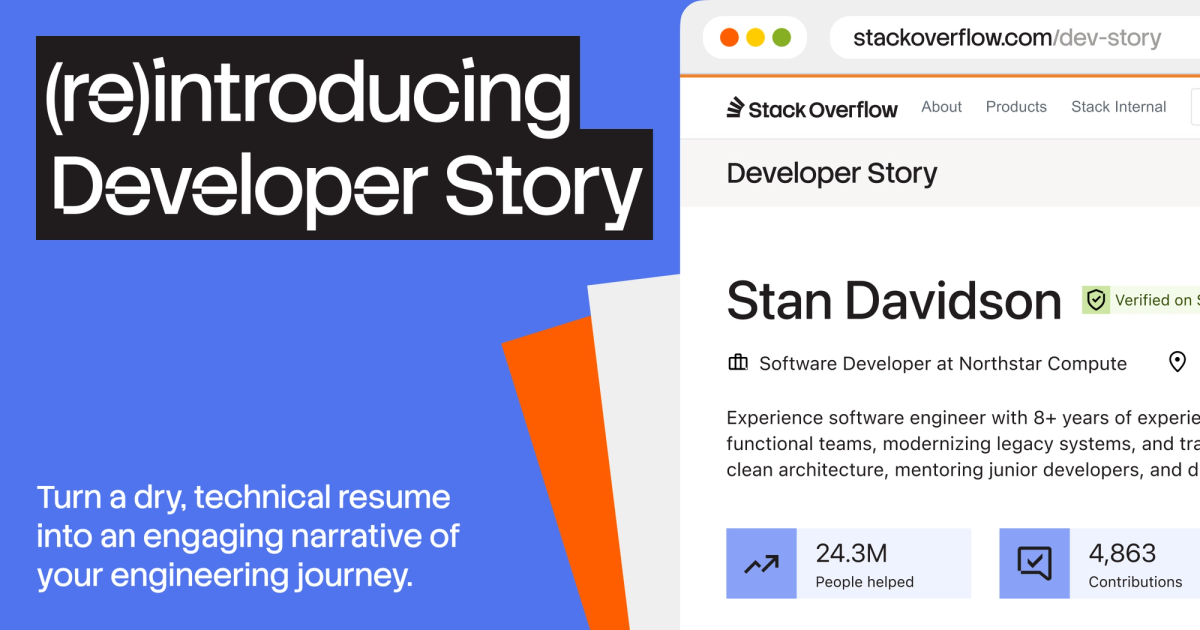
Stack Overflow is addressing the growing challenges in tech hiring, exacerbated by AI's influence leading to untrustworthy and generic resumes. Their solution, the re-introduced Developer Story, offers a platform for developers to authentically showcase their work, expertise, and impact through verifiable contributions and personal projects. This aims to provide hiring teams with more objective insights and help genuine talent stand out in a crowded market.