
ChatGPT Voice Mode: A Natural Leap Forward for AI Conversations
ChatGPT's new Voice Mode, powered by the GPT-Live model, offers remarkably natural, full-duplex conversations. It seamlessly listens and speaks, eliminating awkward pauses and interruptions, making interactions feel more human-like and efficient.
ChatGPT Voice Mode: A Natural Leap Forward for AI Conversations
Verdict: ChatGPT's new Voice Mode, featuring the GPT-Live model, is a significant evolution in AI interaction. It delivers remarkably natural, full-duplex conversations that blur the lines between talking to a person and an AI, making it a compelling tool for anyone seeking a more intuitive digital assistant.
AI assistants have been on a relentless march forward, steadily gaining capabilities, precision, and speed with each iteration. While generative AI is far from infallible and should never be treated as an unquestionable fount of truth, its utility for many users is undeniable. For those who've embraced this technology, the shift from typing to voice conversations often promises greater convenience. ChatGPT's latest offering in this realm, the GPT-Live model, isn't just an improvement; it's a transformative experience that redefines what a voice-enabled AI can be.
The Evolution of Conversational AI
To truly appreciate GPT-Live, it's helpful to look at its predecessors. ChatGPT's original Voice Mode, introduced in 2023, operated on a more rudimentary three-step system: it transcribed your speech, processed it with a language model, then converted the generated text back into speech. This sequential process often resulted in a somewhat stilted, turn-based interaction. The subsequent Advanced Voice Mode improved things by integrating a single multimodal model, but still largely maintained that turn-based structure, prone to awkward interruptions or premature replies if you paused mid-sentence.
GPT-Live, however, marks a substantial paradigm shift. OpenAI has engineered it with a "full-duplex" architecture, meaning it can both listen and speak simultaneously. This is the game-changer, addressing the most common frustrations of previous voice interactions. No longer will ChatGPT cut you off or start responding before you've finished your thought. Instead, you'll hear subtle vocal acknowledgements like "mhmm" or "yeah" while you're speaking, mirroring natural human conversational cues. This seemingly minor detail has a profound impact on the perceived fluidity and naturalness of the dialogue.
Key Features and Under-the-Hood Intelligence
Powered by the GPT-Live model (or GPT-Live-1 mini for free users), this new voice mode isn't just about smoother conversation flow. It's designed to be smarter and more dynamic. When a query demands deeper reasoning or extensive research, GPT-Live can seamlessly offload these complex tasks to more powerful backend models, such as GPT-5.5, all while maintaining the conversational thread without noticeable disruption. This intelligent task delegation ensures that even complex discussions feel responsive and coherent.
Accessing this advanced mode is straightforward: it's available through the ChatGPT app on both Android and iOS devices, and even directly via any web browser. Users on ChatGPT Pro, Plus, and Go plans get the full GPT-Live-1 model, while free users can still experience the enhanced voice capabilities with the GPT-Live-1 mini model. To initiate a voice chat, simply tap the waveform icon located to the right of the text box. If it's your first time, you'll be prompted to grant microphone access.
Customization and User Experience
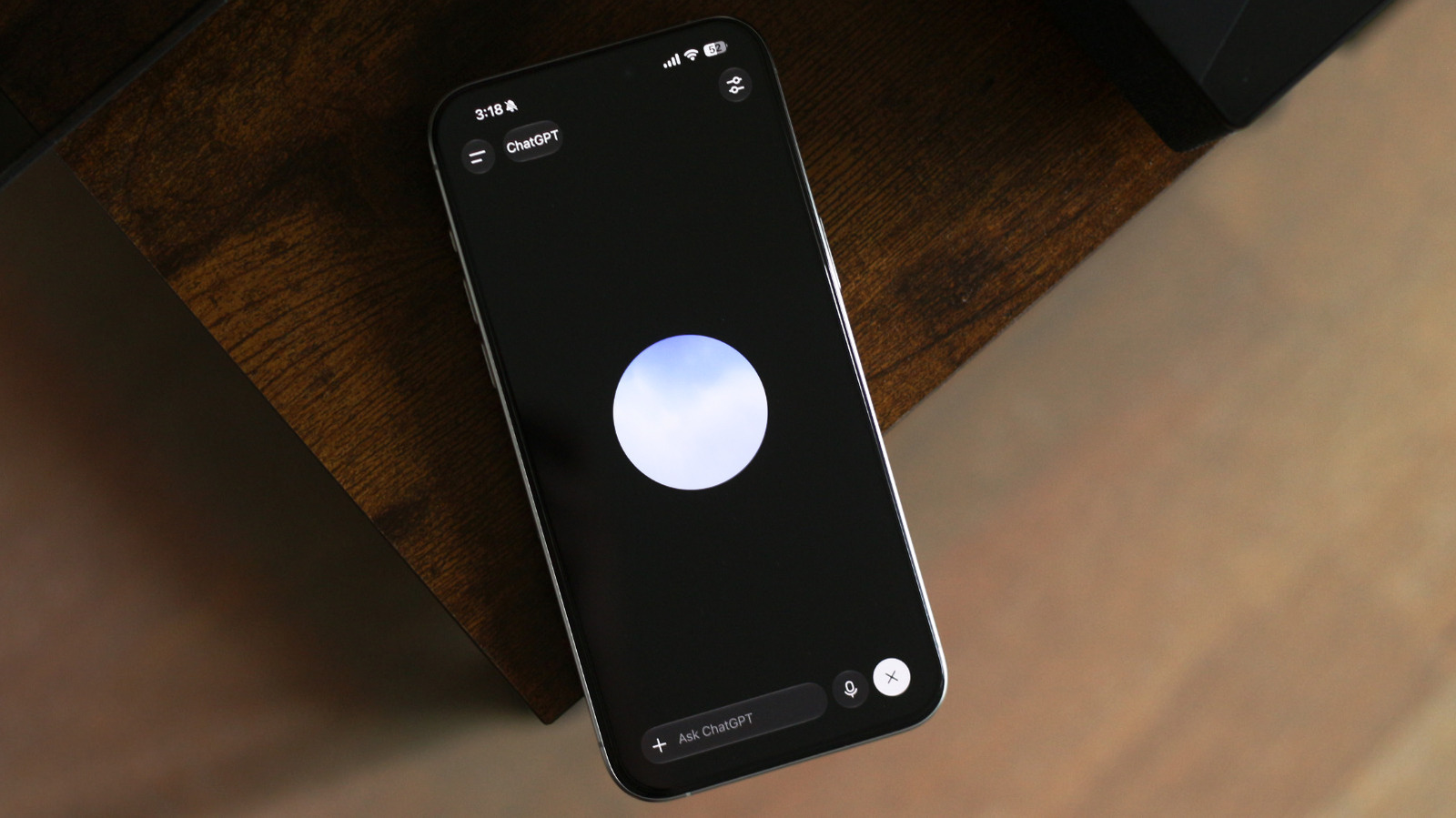
Once in voice mode, a responsive floating orb appears on your screen, indicating that ChatGPT is actively listening. A key feature for paid subscribers is the ability to adjust the intelligence level of the voice model. Options include "Instant," "Medium," and "High." The "Instant" setting prioritizes rapid responses, suitable for most everyday questions, while still having the capacity to delegate more intricate queries. For more complex discussions, switching to "Medium" or "High" introduces a slight, barely perceptible delay, but significantly enhances the depth and accuracy of the AI's responses, all without compromising the natural flow of conversation. It's worth noting that this intelligence customization isn't available for the GPT-Live-1 mini model on the free plan.
Beyond intelligence, the settings menu allows you to choose from various voices for ChatGPT, change its language, and even set voice mode as the default when launching the app. A notable convenience is that ChatGPT Voice remains active even if you navigate to another app or lock your device, allowing for continuous, hands-free interaction. However, a current limitation is the absence of screen or video sharing capabilities, which might be missed by users who benefit from visual context. If you prefer the older, turn-based interaction for any reason, the option to revert to previous voice models is available within the settings.
From a practical standpoint, GPT-Live excels in several areas. Its seamless responsiveness makes it an excellent tool for live translations. Throughout any voice conversation, you can scroll down to review a full transcript, a handy feature for recalling details. Furthermore, if your question is best answered with a visual aid, ChatGPT will intelligently generate an interactive widget alongside its spoken response, adding another layer of utility to the experience.
Pros and Cons
Pros:
- Natural, Full-Duplex Conversations: Eliminates awkward pauses and interruptions, mirroring human interaction.
- Vocal Acknowledgements: Adds to the realistic feel with "mhmm" and "yeah."
- Intelligent Task Delegation: Seamlessly offloads complex queries to more powerful models without disrupting flow.
- Highly Responsive: Excellent for real-time interactions like live translations.
- Persistent Operation: Continues working even when the app is in the background or device is locked.
- Transcript Availability: Easy to review past spoken interactions.
- Interactive Widgets: Provides visual aids when beneficial.
- Customizable Intelligence Levels (Paid): Allows users to balance speed and depth for different needs.
Cons:
- No Screen or Video Sharing: Lacks visual context integration.
- Intelligence Level Customization is Paid-Tier Only: Free users cannot adjust this setting.
Recommendation
ChatGPT's GPT-Live Voice Mode is a standout feature that truly elevates the AI assistant experience. For users who primarily interact with AI through text, giving this a try is highly recommended. The sheer naturalness of the conversation is disarming; the reviewer, initially a typing enthusiast, found himself forgetting he was speaking to an AI. This mode is particularly beneficial for those who are always on the go, prefer hands-free interaction, or engage in tasks like language learning or live translations. While the absence of screen sharing is a minor drawback, the overall fluidity and intelligence of GPT-Live make it an invaluable tool. If you're looking for an AI assistant that feels less like a command-line interface and more like a conversational partner, GPT-Live is unequivocally worth exploring.
FAQ
Q: Is ChatGPT's new Voice Mode available on all ChatGPT plans?
A: The GPT-Live model (GPT-Live-1) is available for ChatGPT Pro, Plus, and Go users. Free plan users can access the GPT-Live-1 mini model, which offers similar core voice features but lacks the customizable intelligence levels.
Q: Can I adjust the intelligence level of the Voice Mode?
A: Yes, paid subscribers (Pro, Plus, Go) can choose between "Instant," "Medium," and "High" intelligence levels in the settings. This customization is not available for users on the free plan using the GPT-Live-1 mini model.
Q: Does the new Voice Mode work when my phone is locked or I switch apps?
A: Yes, ChatGPT Voice is designed to remain active and continue listening and responding even if you switch to another application or lock your device, providing a seamless hands-free experience.
Related articles
Android 17 QPR2 Beta 7.1: The Performance Relief You've Been Waiting
Android 17 QPR2 Beta 7.1: Finally Fixing the QPR1 Performance Woes Verdict: Android 17 QPR2 Beta 7.1 is a crucial and highly anticipated software update for Google Pixel users, specifically targeting and resolving the

DJI Solo Video Setups: Smart Choices for Lone Creators
This review delves into DJI's recommended solo video setups, highlighting the Osmo Pocket 3 Creator Combo as a top pick for its integrated camera, gimbal, and mic. It also covers stabilizers like the Osmo Mobile 8 and RS 4, and the DJI Mic Mini series for enhanced audio, providing honest pros, cons, and clear buying advice.

Ars Technica's Rocket Report: Your Essential Space Industry Briefing
Quick Verdict Ars Technica's Rocket Report, presented by veteran space reporter Stephen Clark, offers an invaluable and meticulously organized weekly (or similar frequency, implied by "Edition 9.15") digest of the most

Apple iPhone Duo: A Daring Debut with Notable Compromises
Apple's highly anticipated iPhone Duo, priced at $2,000, has gone on pre-order. While hailed as "Apple's most exciting device in a decade" for its innovative foldable design and immersive display, it comes with significant drawbacks like the absence of FaceID and a premium camera.

AI's Confidence vs. Formal Methods' Rigor: Design Flaws & Verification
While AI accelerates code generation, formal methods remain critical for ensuring system correctness. Languages like TLA+ and tools like Quint enable developers to model and verify system designs before coding, catching subtle flaws. Quint makes formal methods more accessible with developer-friendly syntax and executability. This approach is vital for verifying AI-generated code through trace validation and model-based testing, ensuring reliability against real-world data.

KDE Plasma 6.8: A Future-Focused 30th Anniversary Update
Quick Verdict KDE Plasma 6.8, arriving as the "30th Anniversary Edition," is a pivotal release that decisively pushes the desktop environment into the future. With a definitive farewell to native X11 sessions and a