
Cats Lock: Taming Feline Keyboard Chaos on Your Mac
Cats Lock is a $3 Mac app designed to lock your keyboard, preventing accidental inputs from cats. It offers quick activation, a stealth mode, and customizable deterrent sounds, providing a simple yet effective solution for cat-owning Mac users.
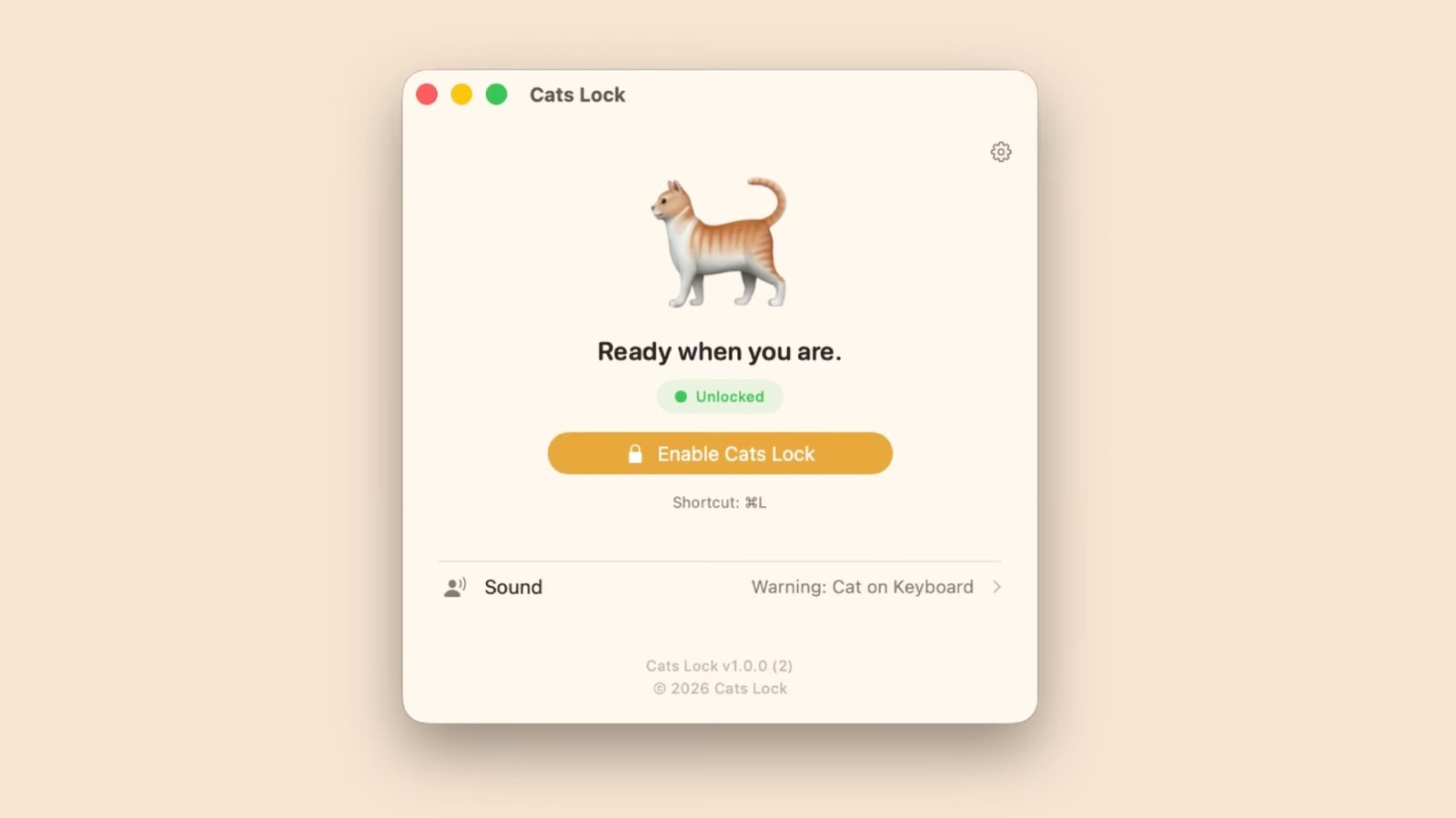
For anyone who shares their workspace with a curious cat, the struggle is real. The moment you step away, or even just look elsewhere, your beloved feline decides your keyboard is the perfect spot for a nap, a walk, or an impromptu dance party. This often results in a flurry of unwanted inputs, accidentally closed tabs, garbled messages, or even worse. Enter Cats Lock, a new Mac application designed to bring peace to your digital domain by preventing these very scenarios. Priced at just $3, this app tackles a hyper-specific, yet incredibly common pet-owner predicament, offering a straightforward solution to a widespread furry problem. In short, if your Mac frequently doubles as a cat bed, Cats Lock is a simple, effective, and surprisingly clever utility that delivers on its singular promise.
What is Cats Lock?
Cats Lock is a dedicated Mac application, developed by indie creator Todd Alexander, that provides users with a quick and easy way to lock their keyboard. Its primary goal is to avert accidental key presses when a cat decides to take up residence on your laptop or external keyboard. The app is compatible with devices running macOS 14.0 (Sonoma) and later, making it accessible to users on recent Apple operating systems. At a modest price of $3, it positions itself as an affordable solution to an annoying, daily occurrence for many pet owners.
The core functionality is incredibly simple: once activated, it blocks all keyboard input, rendering your keyboard impervious to paw-related chaos. This can be triggered swiftly, either through a single click from your Mac’s menu bar or by utilizing a customizable keyboard shortcut, offering flexibility depending on your preferred workflow. This immediate activation is crucial for those sudden feline incursions that demand a rapid response.
User Experience and Features
The user experience of Cats Lock is defined by its simplicity and directness. The app lives conveniently in your Mac’s menu bar, ready to be deployed at a moment’s notice. Toggling the lock on or off is literally a click away, or a quick tap of your chosen keyboard shortcut. This intuitive access ensures that locking your keyboard doesn't become another cumbersome task.
One of the standout features is Stealth Mode. In this mode, Cats Lock operates completely silently and without any on-screen visual overlays. This means it won't interrupt your activities, whether you're engrossed in a video, reading an article, or engaged in a virtual meeting. It’s designed to be unobtrusive, performing its function without drawing attention to itself. The app also intelligently auto-unlocks when your Mac’s screen goes to sleep, ensuring you’re not left fumbling when you return to your computer after a break.
Beyond just locking the keyboard, Cats Lock introduces a playful yet practical element: deterrent sounds. Users can select from pre-set sounds that are intended to gently dissuade a cat from lingering on the keyboard. Furthermore, the app offers the unique ability to record your own custom deterrent sounds. This personalized touch allows users to tailor the auditory response, perhaps using a sound that their specific cat finds particularly unappealing, or simply a funny, unique warning. While the effectiveness of these sounds will vary by cat, it's a creative addition that underscores the app's understanding of its target audience.
Pros
- Solves a Specific, Common Problem: Cats Lock directly addresses the frustrating issue of unwanted keyboard inputs from pets, a problem many Mac-owning cat lovers can relate to.
- Simple and Intuitive Operation: With quick activation via the menu bar or a keyboard shortcut, the app is incredibly easy to use and integrates seamlessly into the macOS environment.
- Unobtrusive Stealth Mode: The option to lock the keyboard without any visual or auditory distractions is a significant plus, ensuring it doesn't interfere with work or entertainment.
- Creative Deterrent Sounds: The inclusion of customizable deterrent sounds adds a unique and fun dimension, offering an extra layer of defense against feline interference.
- Affordable Price Point: At just $3, it's an inexpensive utility that offers considerable value for those who frequently experience keyboard disruptions from their pets.
- Automatic Unlocking: The feature that auto-unlocks the keyboard when the screen sleeps is a thoughtful detail, improving convenience and user flow.
Cons
- Highly Niche Application: While effective for its intended purpose, Cats Lock serves a very specific user base. Those without cats (or other keyboard-trampling pets) will find no use for it.
- Limited Scope: The app exclusively focuses on locking the keyboard. It doesn't prevent other forms of pet interference, such as cursor movements from a mouse or trackpad, or physical obstruction of the screen. Users might still need to gently relocate their pets for full productivity.
- No Advanced Features: As a simple utility, Cats Lock lacks more advanced functionalities like scheduling keyboard locks, setting specific application exclusions, or offering broader pet-management features. While not promised, it's worth noting for users who might seek a more comprehensive solution.
- Relies on User Activation: The user must remember to activate the lock. There's no AI-powered detection of a cat approaching, meaning proactive engagement is required.
The Verdict: Is Cats Lock Worth Your $3?
For Mac users who frequently find their keyboard under siege by a furry companion, Cats Lock offers a genuinely useful and refreshingly simple solution. It's not a complex piece of software, nor does it try to be. Instead, it hones in on one specific problem – accidental keyboard inputs from pets – and solves it effectively and elegantly.
The $3 price tag makes it an almost impulsive purchase for anyone tired of dealing with unintended command sequences or deleted paragraphs. Its Stealth Mode is well-conceived, ensuring that the utility is truly unobtrusive during use. The added fun of customizable deterrent sounds is a nice bonus, even if their efficacy is highly dependent on your cat's personality.
While its utility is undeniably niche, for its target audience, Cats Lock is a minor investment that can save a significant amount of frustration. If you're looking for a dedicated tool to prevent your cat from wreaking havoc on your Mac's keyboard, this app comes highly recommended as a straightforward, affordable, and well-executed utility. It’s a purr-fectly practical addition to any cat-owner’s digital toolkit.
FAQ
Q: What operating systems is Cats Lock compatible with?
A: Cats Lock is compatible with devices running macOS 14.0 (Sonoma) and later.
Q: Can I use Cats Lock without any sounds or visual distractions?
A: Yes, Cats Lock features a "Stealth Mode" which allows it to run without any visual overlay on screen or any noises, making it unobtrusive while you work or watch content.
Q: Is Cats Lock expensive?
A: No, Cats Lock is priced at an affordable $3 on the Mac App Store.
Related articles
Android 17 QPR2 Beta 7.1: The Performance Relief You've Been Waiting
Android 17 QPR2 Beta 7.1: Finally Fixing the QPR1 Performance Woes Verdict: Android 17 QPR2 Beta 7.1 is a crucial and highly anticipated software update for Google Pixel users, specifically targeting and resolving the

DJI Solo Video Setups: Smart Choices for Lone Creators
This review delves into DJI's recommended solo video setups, highlighting the Osmo Pocket 3 Creator Combo as a top pick for its integrated camera, gimbal, and mic. It also covers stabilizers like the Osmo Mobile 8 and RS 4, and the DJI Mic Mini series for enhanced audio, providing honest pros, cons, and clear buying advice.

Ars Technica's Rocket Report: Your Essential Space Industry Briefing
Quick Verdict Ars Technica's Rocket Report, presented by veteran space reporter Stephen Clark, offers an invaluable and meticulously organized weekly (or similar frequency, implied by "Edition 9.15") digest of the most

Apple iPhone Duo: A Daring Debut with Notable Compromises
Apple's highly anticipated iPhone Duo, priced at $2,000, has gone on pre-order. While hailed as "Apple's most exciting device in a decade" for its innovative foldable design and immersive display, it comes with significant drawbacks like the absence of FaceID and a premium camera.

KDE Plasma 6.8: A Future-Focused 30th Anniversary Update
Quick Verdict KDE Plasma 6.8, arriving as the "30th Anniversary Edition," is a pivotal release that decisively pushes the desktop environment into the future. With a definitive farewell to native X11 sessions and a
Galaxy Watch One UI 9 Beta: Promising Progress, But Patience Needed
Galaxy Watch 8, Watch Ultra, and Watch 7 are receiving a new One UI 9 Watch beta build with bug fixes and a security patch. Active development signals progress, but a stable release date remains elusive.