
Canon Pixma G3270 MegaTank Review: Budget-Friendly Ink Tank Powerhouse
Quick Verdict The Canon Pixma G3270 MegaTank stands out as an exceptional value for money, especially at its current discounted price. This entry-level, cartridge-free all-in-one printer delivers on its promise of
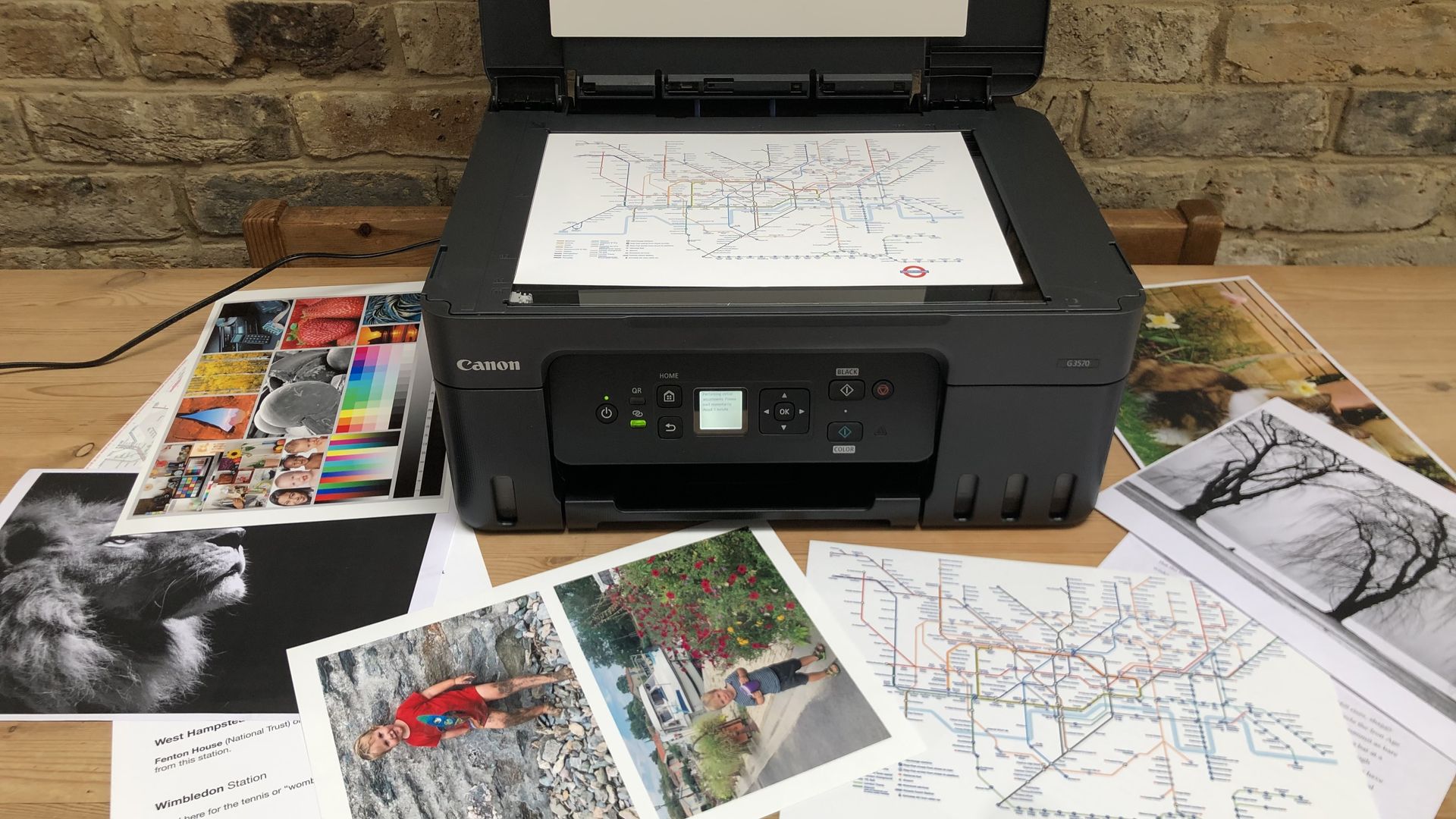
Quick Verdict
The Canon Pixma G3270 MegaTank stands out as an exceptional value for money, especially at its current discounted price. This entry-level, cartridge-free all-in-one printer delivers on its promise of extremely low running costs and reliable performance for everyday tasks. While it won't satisfy professional photographers, its versatility for text, color documents, and general family photos makes it our top budget pick for families, remote workers, and small businesses looking to escape the high cost of traditional ink cartridges.
Introduction: Ditching the Cartridge Conundrum
For far too long, printer ownership has felt like a perpetual ink cartridge scam. The initial low price of a printer often masked the crippling ongoing expense of replacement cartridges. Canon's MegaTank series, and specifically the Pixma G3270, aims to put an end to that cycle with its innovative refillable ink tank system. This particular model, which our senior printer editor awarded 4 stars in his rigorous review, is currently an even more attractive proposition, marked down significantly at Amazon.
Designed with the regular user in mind – be it a busy family, a remote professional, or a lean small business – the G3270 promises to cut down on ink costs without compromising essential functionality. It's not just about the upfront saving; it's about the peace of mind that comes with knowing your per-page cost is dramatically lower.
Key Features & User Experience
The Pixma G3270 is an all-in-one wireless printer, meaning it handles print, copy, and scan functions with ease. Its compact body belies its capabilities, making it a good fit for various home or small office environments where space might be at a premium. The wireless connectivity ensures flexible placement and allows printing directly from multiple devices without cumbersome cables.
What truly defines the MegaTank experience is the refillable ink tank system. Gone are the days of wrestling with tiny, expensive cartridges. Instead, you get larger, transparent tanks that you can top up from economical ink bottles. Crucially, Canon is generous with the initial supply, including enough ink in the box to print an impressive 6,000 black and 7,700 color pages. This substantial initial yield means you’re set for a very long time before needing to purchase more ink, immediately translating into significant savings and fewer interruptions.
Performance & Print Quality: Balanced for Everyday
When it comes to output, the G3270 strikes a commendable balance for its price point. Our editor found that text documents were consistently dark and remarkably durable, which is vital for reports, invoices, or school assignments that need to withstand handling. This clarity makes it perfectly suited for daily document printing needs.
Color documents also fare well, displaying versatility for various general-purpose printouts. However, it's important to set realistic expectations for photo printing. While the G3270 is capable of printing photographs, our testing revealed that photos on coated paper tended to look somewhat flat when compared directly against output from dedicated photo printers. For professional, publication-ready prints, you'll want to look elsewhere. But for casual family snapshots, school projects, or sharing memories, this isn't a deal-breaker. The overall performance aligns with what an affordable, cartridge-free printer needs to offer, covering the essential bases without breaking the bank.
Running Costs: The MegaTank Advantage
This is where the Canon Pixma G3270 truly shines. The MegaTank system fundamentally redefines running costs. By using high-capacity, refillable ink tanks instead of traditional cartridges, the cost per page plummets. As mentioned, the included ink yields up to 6,000 black and 7,700 color pages, which for most users translates to months, if not over a year, of printing before needing a refill. This drastically reduces the long-term financial burden associated with printing, making it an excellent choice for anyone who prints regularly and is tired of fluctuating ink expenses.
Pros & Cons
Pros:
- Extremely Low Running Costs: Thanks to the MegaTank refillable ink system.
- Generous Included Ink: Comes with enough ink for up to 6,000 black and 7,700 color pages.
- Versatile Functionality: All-in-one wireless print, copy, and scan.
- Good Document Quality: Text output is dark and durable.
- Compact Design: Fits well in home offices or smaller spaces.
- Excellent Value: Especially at the current discounted price.
Cons:
- Mediocre Photo Quality: Photos on coated paper can appear flat compared to dedicated photo printers.
- No Automatic Duplex: Manual two-sided printing required.
- No Document Feeder: Not ideal for batch scanning or copying multiple pages for business use.
Pricing & The Deal
The Canon Pixma G3270 is currently available for $144 at Amazon. This represents a substantial 42% discount, or $104.99 off its list price of $248.99. While this isn't the absolute lowest price we've ever observed – it dipped to $130 in October 2024 – it remains a very strong deal for a tank printer that includes such a significant amount of ink. Given the general market for ink tank printers, finding a comparable model with this feature set and included ink at this price point is challenging, making the current offer highly competitive.
Comparison to Alternatives
When considering entry-level ink tank printers, the Epson EcoTank ET-2410 is often cited as a direct competitor. Both aim to provide low-cost printing through a cartridge-free system. Here's a brief comparison:
| Feature | Canon Pixma G3270 | Epson EcoTank ET-2410 |
|---|---|---|
| Price (Amazon) | $144 (currently) | $180 |
| Ink System | MegaTank (refillable tanks) | EcoTank (refillable tanks) |
| Functions | Print, Copy, Scan, Wireless | Print, Copy, Scan, Wireless |
| Ink Included | 6k Black / 7.7k Color | Comparable performance/specs |
| Key Strengths | Very low running cost, document quality, current price | Similar low running costs, comparable performance |
While the Epson EcoTank ET-2410 is noted as having comparable performance and specs, its current price point is $36 higher than the G3270's discounted price. For those on a strict budget, the Canon G3270 therefore presents a more compelling immediate value, especially with its substantial ink inclusion.
Who Should Buy It?
The Canon Pixma G3270 MegaTank is an ideal choice if you:
- Print frequently: And find that ink costs with traditional cartridge printers add up quickly.
- Primarily print documents or general photographs: It excels at text and handles casual photos adequately.
- Are a family, remote worker, or small business: Seeking an economical, reliable all-in-one solution for daily tasks.
However, you might want to consider skipping this model if you require:
- Publication-quality photo printing: Its photo output is good but not professional-grade.
- Automatic duplex (two-sided) printing: This model requires manual flipping.
- An automatic document feeder (ADF): For businesses that need to scan or copy multi-page documents in batches.
Conclusion
For its current price, the Canon Pixma G3270 MegaTank delivers immense value, particularly for users who print regularly and want to drastically reduce their per-page ink costs. It’s a solid, versatile all-in-one printer that handles everyday document and casual photo printing with commendable efficiency. While it has limitations for high-volume business tasks or professional photo output, its strengths in affordability, ink economy, and core functionality make it an easy recommendation as a top budget-friendly, cartridge-free printer.
FAQ
Q: Is the Canon Pixma G3270 suitable for printing high-quality photos?
A: While it can print photos, our editor noted that images on coated paper looked flat compared to dedicated photo printers. It's better suited for general family photos and casual printouts rather than publication-ready or professional-grade prints.
Q: How much ink comes with the G3270, and how long does it last?
A: The printer comes with enough ink in the box to print up to 6,000 black pages and 7,700 color pages. For most regular users, this amount of ink can last for many months, offering very low running costs and infrequent refills.
Q: What are the main advantages of a MegaTank printer like the G3270 over traditional cartridge printers?
A: MegaTank printers utilize high-capacity, refillable ink tanks instead of small, disposable cartridges. This system drastically reduces the cost per page, eliminates the need for frequent cartridge replacements, and is generally more environmentally friendly, making them ideal for users with consistent printing needs.
Related articles
Android 17 QPR2 Beta 7.1: The Performance Relief You've Been Waiting
Android 17 QPR2 Beta 7.1: Finally Fixing the QPR1 Performance Woes Verdict: Android 17 QPR2 Beta 7.1 is a crucial and highly anticipated software update for Google Pixel users, specifically targeting and resolving the

DJI Solo Video Setups: Smart Choices for Lone Creators
This review delves into DJI's recommended solo video setups, highlighting the Osmo Pocket 3 Creator Combo as a top pick for its integrated camera, gimbal, and mic. It also covers stabilizers like the Osmo Mobile 8 and RS 4, and the DJI Mic Mini series for enhanced audio, providing honest pros, cons, and clear buying advice.

Ars Technica's Rocket Report: Your Essential Space Industry Briefing
Quick Verdict Ars Technica's Rocket Report, presented by veteran space reporter Stephen Clark, offers an invaluable and meticulously organized weekly (or similar frequency, implied by "Edition 9.15") digest of the most

Apple iPhone Duo: A Daring Debut with Notable Compromises
Apple's highly anticipated iPhone Duo, priced at $2,000, has gone on pre-order. While hailed as "Apple's most exciting device in a decade" for its innovative foldable design and immersive display, it comes with significant drawbacks like the absence of FaceID and a premium camera.

KDE Plasma 6.8: A Future-Focused 30th Anniversary Update
Quick Verdict KDE Plasma 6.8, arriving as the "30th Anniversary Edition," is a pivotal release that decisively pushes the desktop environment into the future. With a definitive farewell to native X11 sessions and a

Ephemeral PR Preview Environments on GKE: A Deep Dive
Every development team eventually grapples with the limitations of shared staging environments. The familiar scenario: multiple features deployed simultaneously, database migrations clashing, and the phrase "it works on