
Apple CarPlay Troubleshooting: Your Essential Fix-It Guide
Quick Verdict Facing issues with Apple CarPlay can quickly turn a convenient drive into a frustrating one, especially when you rely on it for navigation and entertainment. This comprehensive troubleshooting guide serves
Quick Verdict
Facing issues with Apple CarPlay can quickly turn a convenient drive into a frustrating one, especially when you rely on it for navigation and entertainment. This comprehensive troubleshooting guide serves as an invaluable resource, systematically leading users through common connection failures from the simplest restarts to more advanced re-pairing procedures. Its clear, step-by-step approach makes it accessible for anyone, regardless of their technical expertise, and helps pinpoint the root cause without immediately resorting to professional help or costly replacements. While some steps require navigating car-specific menus or involve a drastic factory reset as a last resort, the guide's overall effectiveness in getting CarPlay back up and running makes it a highly recommended first point of reference for any user experiencing connectivity woes.
Introduction: When CarPlay Hits a Snag
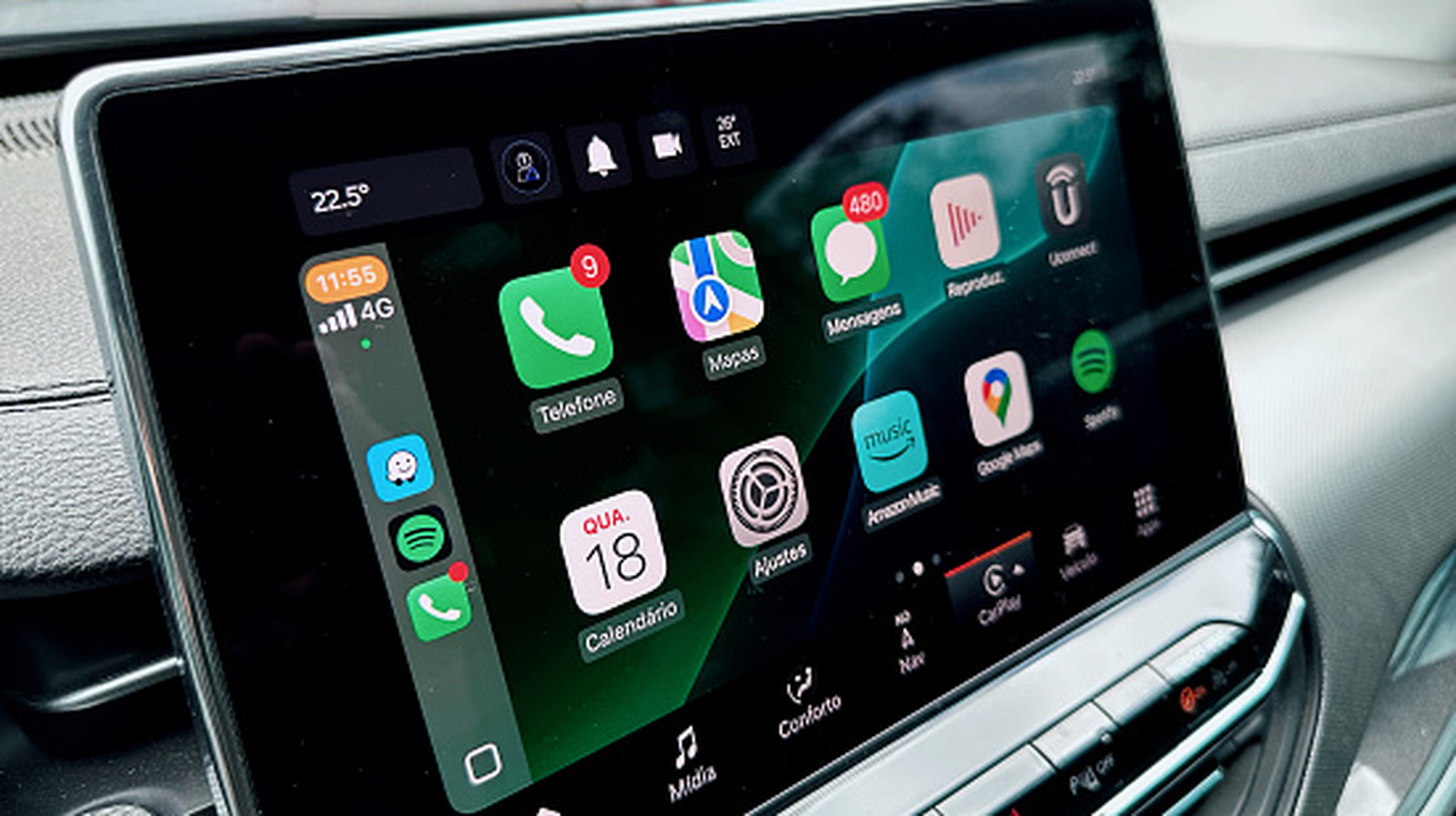
Apple CarPlay is designed to seamlessly integrate your iPhone's core functionalities – maps, music, messages, and calls – with your car's infotainment system, enhancing both convenience and safety on the road. When it works, it's brilliant; when it doesn't, the sudden loss of these features can feel like a step back in time. Whether it's a first-time setup failure, an intermittent connection, or a complete shutdown after normal use, CarPlay problems are a common annoyance. Fortunately, many of these issues stem from similar causes and can be resolved through a series of logical troubleshooting steps, often without spending a dime.
This guide offers a structured path to diagnosing and resolving the most prevalent CarPlay connection problems. It's designed to empower everyday users, ensuring you don't need to be an automotive technician or an iPhone guru to get your in-car experience back on track.
Navigating the Troubleshooting Process: User Experience and Practicality
The strength of this troubleshooting methodology lies in its progressive nature, starting with the most basic and common fixes before moving to more involved solutions. This approach minimizes wasted effort and ensures that simple glitches are addressed first.
Initial System Checks: The Low-Hanging Fruit
The journey begins with straightforward actions: restarting your iPhone and cycling your car's power. These seemingly trivial steps can often clear temporary software hiccups in either device. The guide also wisely reminds users to manually check for the CarPlay icon on their car's screen, as it doesn't always launch automatically. For new users, confirming car compatibility with Apple's official list and ensuring their iPhone (iPhone 5 or newer) meets the basic requirements are crucial first steps. A critical, often overlooked detail is Siri's activation; since CarPlay relies on Siri, verifying its settings under Apple Intelligence & Siri (or Siri) in your iPhone's settings is essential. Lastly, keeping your iOS updated is advised, as software patches can silently resolve underlying connectivity bugs.
The "Allow While Locked" Conundrum: Convenience vs. Security
One common frustration is CarPlay not appearing because the iPhone remains locked. By default, an iPhone connected to CarPlay requires unlocking once per drive. This guide provides a simple yet effective workaround: enabling the "Allow CarPlay While Locked" setting via Settings > General > CarPlay. While this significantly enhances convenience by allowing instant connection, it's accompanied by an honest warning about the security implications – anyone with access to your car and phone could use CarPlay to access your data. This balanced approach allows users to make an informed decision based on their personal security comfort level, recommending disabling it in shared vehicles.
Connection Integrity: Cables, Wireless, and Cleanliness
For wired CarPlay users, the guide emphasizes the often-underestimated role of the USB cable. It rightly points out that cables, especially those subjected to extreme car temperatures and frequent bending, have a limited lifespan. Recommendations include trying different USB ports (checking the car manual for dedicated CarPlay ports), replacing old cables with new ones specifically rated for data transfer (not just charging), and avoiding adapters. A practical tip is to check and gently clean dust from both the phone's and car's USB ports. For wireless CarPlay, the focus shifts to ensuring Bluetooth and Wi-Fi are active on the iPhone and that the car's Wi-Fi connection is set to "Auto-join" to prevent manual re-connection hassles.
Uncovering Hidden Restrictions: Screen Time and Car Settings
Moving beyond physical connections, the guide delves into software restrictions. It walks users through checking iPhone Screen Time's Content & Privacy Restrictions to ensure CarPlay isn't inadvertently disabled by parental controls. Equally important is investigating the car's own infotainment system, where CarPlay might be disabled or disconnected in a "Connections" or "Devices" menu. The suggestion to consult the vehicle's manual is practical, acknowledging the vast differences in car manufacturers' menu layouts.
The Reset-and-Re-pair Strategy: A Deeper Fix
When simpler fixes fail, the guide escalates to resetting the CarPlay connection. This involves instructing the iPhone to "Forget This Car" via Settings > General > CarPlay. Users are wisely advised to screenshot their app layouts and widgets beforehand, as this process resets those configurations. Following a firmware update on the car's stereo (if possible), the phone is then re-paired, either by connecting a quality USB cable or using the car's wireless pairing menu. The re-pairing process, if successful, should bring the CarPlay logo back to the car's display, allowing for re-setup and customization. As a final, drastic measure, a factory reset of the car's head unit is presented, with a cautionary note about losing all settings and a recommendation to photograph configurations beforehand. If all these steps prove fruitless, contacting the car manufacturer or Apple is the recommended next step.
Pros and Cons of This Troubleshooting Guide
Pros:
- Comprehensive Coverage: Addresses a wide range of common CarPlay issues, from simple glitches to complex software conflicts.
- Step-by-Step Clarity: Provides clear, actionable instructions that are easy for non-experts to follow.
- Progressive Approach: Starts with quick, easy fixes before moving to more involved troubleshooting, saving time and effort.
- Cost-Effective: Focuses on solutions that don't immediately require purchasing new hardware, beyond a potentially faulty cable.
- Empowering: Gives users the tools to diagnose and resolve issues independently, reducing reliance on professional assistance.
- Addresses Common Pitfalls: Highlights specific, frequently overlooked problems like faulty cables, Siri settings, and locked phone access.
Cons:
- Time Commitment: While effective, the full troubleshooting process can still be time-consuming, especially if multiple steps are needed.
- Car Menu Complexity: Some steps require navigating the car's infotainment system, which can be unintuitive and vary significantly between vehicle models, potentially necessitating a manual lookup.
- Drastic Last Resort: The recommendation of a head unit factory reset is a significant step that wipes all car settings, which can be inconvenient.
- Limited to Software/Connection: Primarily focuses on software and connection issues, offering no solutions for potential underlying hardware failures within the car's system itself.
Recommendation
For any Apple CarPlay user experiencing connectivity problems, this troubleshooting guide is an absolute must-read. Its methodical approach, clear instructions, and emphasis on common yet easily missed details make it incredibly effective. It's a highly recommended first line of defense that can save you frustration, time, and potentially money. Follow its steps diligently, and there's a very good chance you'll have your CarPlay system functioning perfectly again.
FAQ
Q: Do I need an expert to follow this troubleshooting guide?
A: No, the guide is specifically designed to be accessible for novice users, breaking down each step into simple, actionable instructions that do not require automotive technician or iPhone expert knowledge.
Q: Will I have to spend money to fix my CarPlay issues using this guide?
A: In most cases, you won't need to spend any money. The only potential expense mentioned is replacing a faulty USB cable, which can often be the root cause of connectivity problems. All other solutions are software or setting-based.
Q: What should I do if none of the troubleshooting steps work?
A: If you've exhausted all the steps in the guide, including the last resort of a factory reset on your car's head unit, the recommendation is to contact your car manufacturer and/or Apple for further assistance, as the issue might be more complex or hardware-related.
Related articles
How to Pick the Best Firefox for Your Android: A Guide to All 5
Explore the five distinct versions of Firefox for Android to find the perfect browser for your privacy, extension needs, or everyday use.

DJI Romo P Review: Drone Navigation Hits Your Floors with Impressive
Quick Verdict The DJI Romo P, our Home Device of the Year for 2026, marks an astonishing debut for DJI in the robot vacuum market. Leveraging its unparalleled drone-navigation technology, the Romo P offers class-leading

WhatsApp Group Chats: Smart Upgrades for Busy Conversations
WhatsApp rolls out significant group chat updates, including permanent message pins, private Group Status, and enhanced message discovery, aiming to tame chaotic conversations and improve user efficiency.

November 2026 Skywatching Guide: Your Stellar Companion for Autumn
The "November 2026 Skywatching Guide: Meteors, Planets, Stars and a Full Moon" from CNET positions itself as an essential companion for celestial enthusiasts. This comprehensive guide delivers a detailed roadmap to the
Securely Empower Your Smart Home: Integrating Claude Code with Home
Learn to integrate Claude Code with Home Assistant to automate and manage your smart home devices, focusing on secure practices for token usage and deployment.

I took two iPhones on vacation. The Duo won me over.: Apple — Key
TechCrunch reporter Sarah Perez reviewed Apple's new iPhone Duo on vacation, initially facing frustrations but ultimately preferring the foldable to her iPhone 17 Pro Max. The Duo's durability, unique form factor, and ability to foster intentional screen time outweighed its drawbacks, including Touch ID and a lesser camera.