
Android Auto Compatibility: Mostly Seamless, Some Caveats
Google's Android Auto aims to transform your car's dashboard into a safe, familiar extension of your smartphone. Much like Apple's CarPlay, it mirrors essential apps like navigation, messaging, and music directly onto
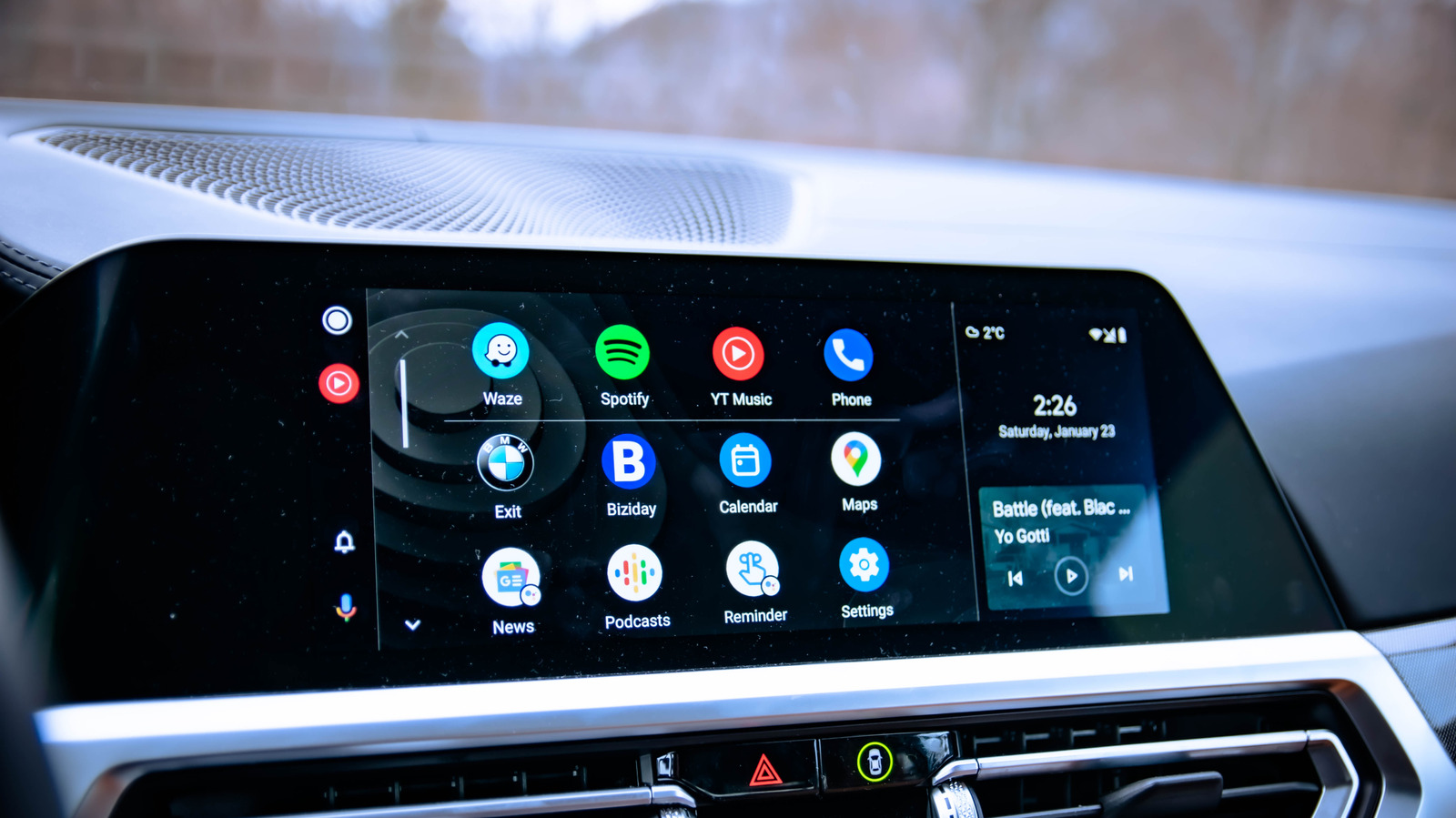
Google's Android Auto aims to transform your car's dashboard into a safe, familiar extension of your smartphone. Much like Apple's CarPlay, it mirrors essential apps like navigation, messaging, and music directly onto your vehicle's infotainment screen, effectively replacing often-outdated, built-in car systems. The promise is a consistent, up-to-date experience across various car models. But the big question for many Android users is: can all Android phones use Android Auto? The short answer is, for the vast majority of modern devices, yes, but there are important caveats and common hurdles to be aware of.
The Core of Compatibility: What You Need to Know
At its heart, Android Auto is designed for widespread accessibility. Generally, if your Android smartphone was released after 2018 and runs a standard, manufacturer-supplied version of Android, you're likely in good shape. Specifically, Android 9 (Pie) or newer is the minimum requirement for wired connections. Phones running Android 10 or later come with Android Auto pre-installed, simplifying the setup process. If you're on Android 9, a quick download from the Google Play Store is all it takes to get started with a USB connection.
For those seeking the convenience of a wireless connection, the requirements are a bit stricter. Your phone needs to be running Android 11 (released around 2020-2021) or a newer version. Additionally, your device must support Wi-Fi connections on the 5 GHz band, which typically means it needs Wi-Fi 5 (802.11ac) or later. Most modern phones from the last five to six years will meet these wireless specifications, but it's always worth double-checking your device's technical details.
On the automotive front, Google states that over 500 vehicles currently support Android Auto. Many major manufacturers have pledged their support, forming the Open Automotive Alliance to integrate Android into cars seamlessly. However, car compatibility can vary based on the vehicle's age and specific trim level, so confirming your car's support is just as important as checking your phone's.
Where the Road Gets Bumpy: Exceptions and Limitations
While Google strives for universal compatibility, the diverse nature of the Android ecosystem means there are exceptions. The biggest challenge often arises with phones running custom Android ROMs or those that lack Google Play services. Unlike iPhones, which operate within a tightly controlled software environment, Android's open-source nature allows for significant customization. This freedom can, paradoxically, hinder Android Auto functionality.
For instance, privacy-focused operating systems like GrapheneOS, built on Android's Open Source Project code, don't include Android Auto by default. Users can install it, but it requires granting specific permissions, including access to sandboxed Google Play services, which may complicate the process. Similarly, CalyxOS, another third-party Android-based OS, supports Android Auto from release 6.4.2 onwards, but it still requires manual activation. Essentially, if your phone isn't running a 'native' Android release with full Google services, you might face additional setup steps or a complete lack of support.
Older phones that don't meet the Android 9 minimum for wired connections, or Android 11 with 5 GHz Wi-Fi for wireless, will simply not be compatible. This means users with devices predating these OS versions will need to consider an upgrade if Android Auto is a must-have feature for their driving experience.
User Experience: Troubleshooting Common Connection Issues
Even with compatible hardware and software, a smooth Android Auto experience isn't always guaranteed. Connection stability is a frequent pain point for users. For wired connections, the quality of your USB cable is paramount. A cheap cable designed solely for charging often won't support the data transfer rates required for Android Auto. Google's own advice suggests using a cable shorter than six feet and replacing it if connectivity issues persist.
Wireless connections present their own set of challenges. If your wireless Android Auto is acting up, a common fix is to remove your car from your phone's list of connected devices and re-establish the connection from scratch. This can reset any glitched settings. Another significant, yet often overlooked, culprit is a Virtual Private Network (VPN). VPNs can interfere with Android Auto's ability to communicate with your car. The solution is usually to temporarily disable the VPN while driving or, if your VPN service supports it, configure split tunneling to allow Android Auto to bypass the VPN tunnel.
Pros and Cons: Weighing Your Options
Pros:
- Modern Interface: Android Auto offers a consistently updated and familiar user interface, far superior to many dated in-car infotainment systems.
- Essential Apps on Dash: Safely access navigation, communication, and entertainment apps without handling your phone.
- Widespread Car Support: Supported by a large number of vehicle manufacturers and models.
- Wired & Wireless Options: Provides flexibility based on phone and car capabilities.
Cons:
- OS/Hardware Requirements: Excludes older Android devices, especially for wireless functionality.
- Custom ROM Incompatibility: Not reliably supported on third-party Android installations or de-Googled phones.
- Connection Headaches: Prone to issues with sub-par cables, unstable wireless links, or VPN interference.
- Car Specificity: Not all cars support Android Auto, requiring users to verify their vehicle's specs.
Ensuring a Seamless Drive: Recommendations
To get the best out of Android Auto, start by confirming both your phone and car meet the necessary requirements. For wired functionality, ensure your phone runs Android 9 or newer. For wireless, aim for Android 11+ and verify your phone supports 5 GHz Wi-Fi. If your phone's software is outdated but it's physically capable, look for available system updates.
If your car doesn't natively support wireless Android Auto but does support the wired version, consider investing in a wireless adapter. These compact devices plug into your car's USB port and connect wirelessly to your phone, providing a similar cable-free experience. Always use high-quality, data-transfer-capable USB cables for wired connections. Lastly, be mindful of VPNs and configure them for split tunneling or disable them when using Android Auto to avoid connectivity disruptions.
Android Auto is a powerful tool for modernizing your driving experience, offering a safer and more convenient way to interact with your smartphone's essential functions. While not every Android phone will work out of the box, understanding the compatibility criteria and common troubleshooting steps can help ensure a smooth journey.
FAQ
Q: Do all Android phones support Android Auto?
A: No, not all Android phones support Android Auto. While most smartphones running Android 9 or newer (released since 2018) will work for wired connections, and Android 11 or newer with 5 GHz Wi-Fi for wireless, older devices or phones running custom, non-Google-sanctioned Android versions may not be compatible or require additional setup.
Q: What do I need for wireless Android Auto?
A: For wireless Android Auto, your phone must be running Android 11 or a later version, and it needs to support Wi-Fi connections using the 5 GHz band (typically Wi-Fi 5 or newer). Your car also needs to natively support wireless Android Auto, or you can use a third-party wireless adapter plugged into your car's USB port.
Q: My Android Auto isn't connecting, what should I check first?
A: For wired connections, try a different, high-quality USB cable (preferably shorter than six feet) that supports data transfer. For wireless, try removing your car from your phone's connected devices list and reconnecting it as a new device. Also, ensure any active VPN on your phone is either disabled or configured for split tunneling to allow Android Auto to connect properly.
Related articles
Android 17 QPR2 Beta 7.1: The Performance Relief You've Been Waiting
Android 17 QPR2 Beta 7.1: Finally Fixing the QPR1 Performance Woes Verdict: Android 17 QPR2 Beta 7.1 is a crucial and highly anticipated software update for Google Pixel users, specifically targeting and resolving the

DJI Solo Video Setups: Smart Choices for Lone Creators
This review delves into DJI's recommended solo video setups, highlighting the Osmo Pocket 3 Creator Combo as a top pick for its integrated camera, gimbal, and mic. It also covers stabilizers like the Osmo Mobile 8 and RS 4, and the DJI Mic Mini series for enhanced audio, providing honest pros, cons, and clear buying advice.

Ars Technica's Rocket Report: Your Essential Space Industry Briefing
Quick Verdict Ars Technica's Rocket Report, presented by veteran space reporter Stephen Clark, offers an invaluable and meticulously organized weekly (or similar frequency, implied by "Edition 9.15") digest of the most

Apple iPhone Duo: A Daring Debut with Notable Compromises
Apple's highly anticipated iPhone Duo, priced at $2,000, has gone on pre-order. While hailed as "Apple's most exciting device in a decade" for its innovative foldable design and immersive display, it comes with significant drawbacks like the absence of FaceID and a premium camera.

KDE Plasma 6.8: A Future-Focused 30th Anniversary Update
Quick Verdict KDE Plasma 6.8, arriving as the "30th Anniversary Edition," is a pivotal release that decisively pushes the desktop environment into the future. With a definitive farewell to native X11 sessions and a
Galaxy Watch One UI 9 Beta: Promising Progress, But Patience Needed
Galaxy Watch 8, Watch Ultra, and Watch 7 are receiving a new One UI 9 Watch beta build with bug fixes and a security patch. Active development signals progress, but a stable release date remains elusive.